

The recent studies show that the average cart abandonment rate for WooCommerce stores is nearly 70%. It means for every 10 customers ready to buy, 7 leave the checkout page without payment. But what’s the reason? The results ofthe same studies reveal that the default checkout page in WooCommerce is not optimized for maximum conversions in 2026. Modern customers expect skipping the cart entirely and going directly to checkout with simple, fast, and flexible fields.
That’s why store managers need to get familiar with the best checkout optimization plugins for WooCommerce in 2026 to satisfy their customers and reduce cart abandonment.
In this comprehensive guide, we’ll explore the best checkout plugins that handle both complex B2B orders and a simple way to reduce friction.
Why Optimizing Your WooCommerce Checkout Matters
Before diving into specific plugins, let’s understand why your checkout deserves serious attention:
- The Abandonment Reality: Based on the recent studies, the first reason for cart abandonment is that the checkout page is not user-friendly and has complicated and time-consuming fields for customers to fill in.
- Default Limitations: The WooCommerce native checkout process forces customers to visit the cart page before checkout.
- Mobile Matters: Many customers are now completing their purchases with mobile devices. So, a non-optimized checkout results in reduced conversions on smartphones.
- User Experience = Revenue: Adding extra fields, low speed of page load, and any distraction are other reasons for customers to abandon the cart and leave the checkout process.
What Makes the Best Checkout for WooCommerce?
There are many checkout plugins designed to help you offer a seamless experience to your customers. However, some of them have better results on improving customer experiences. Here’s what separates the best from the rest in 2026:
| Feature | Why It Matters |
|---|---|
| Direct checkout | Removes friction to enable customers buy immediately |
| Checkout field customization | Remove unnecessary fields, add custom ones |
| Mobile optimization | Review the checkout page in the mobile view and do the necessary optimizations |
| One-page checkout | Make the checkout process fast and easy for customers by keeping everything visible without page reloads |
| Speed | Remove the cart page entirely and speed up checkout process without second of delay to increase the conversions |
| Order bumps | Increase average order value at the moment of purchase |
| Conditional logic | Show/hide fields based on customer choices |
Best Checkout Optimization Plugins for WooCommerce in 2026
Let’s explore the most powerful plugins that approach checkout optimization from unique angles. The amazing features of the following plugins can boost average order value and streamline product selection for customers.
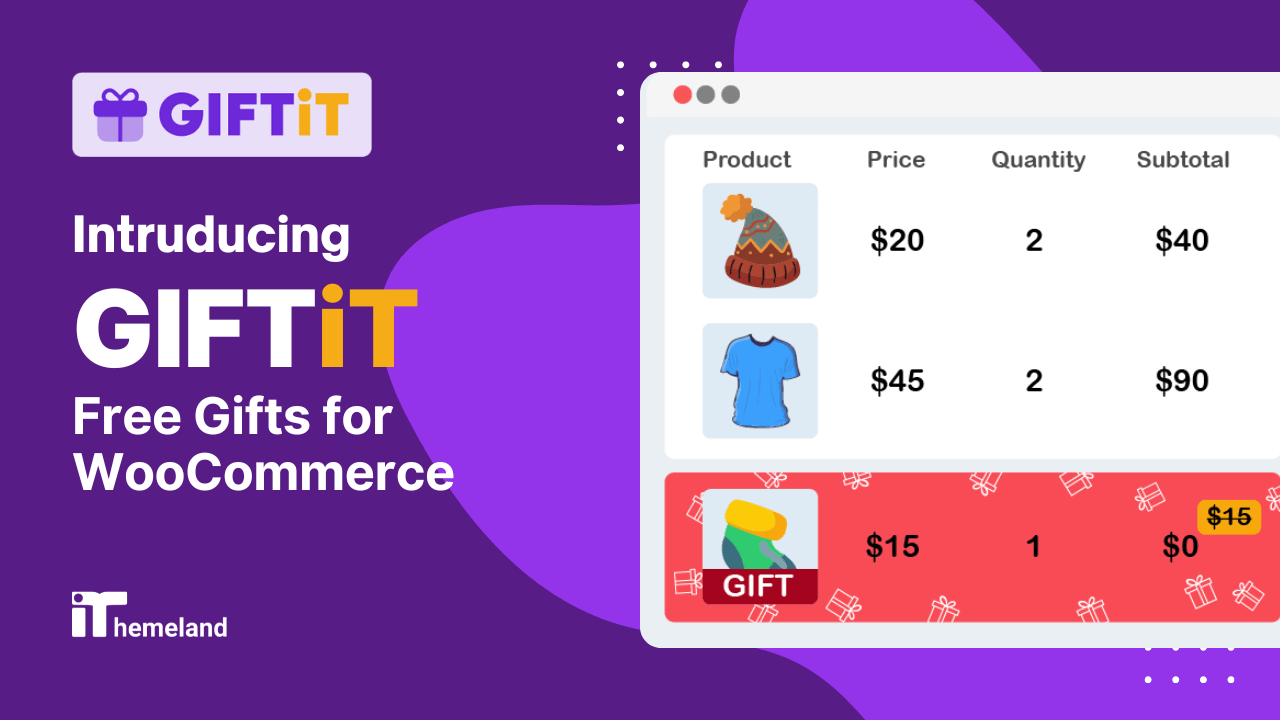
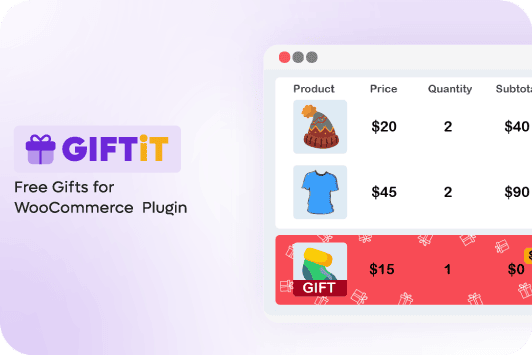
GIFTiT is the best solution for boosting AOV with Smart Incentives. Although it has no option to directly customize or change the checkout fields, GIFTiT provides amazing features for displaying free gift offers on the checkout page.
The GIFTiT plugin has options to show a list of gift offers based on cart conditions at the checkout page. So, instead of removing friction, you can add value to encourage customers complete the purchasing process.
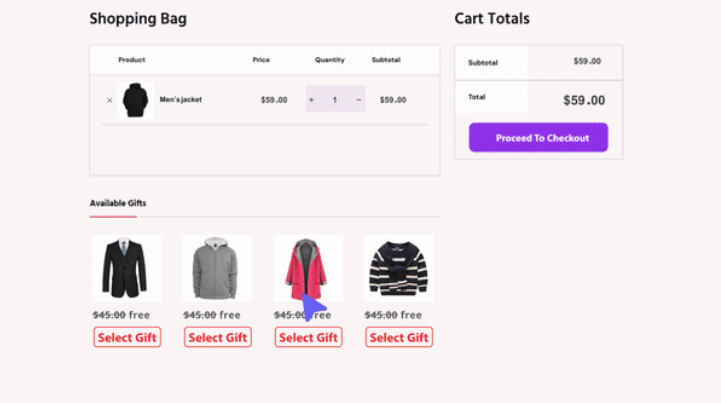
Offering free gifts to the customers has many advantages, including:
- Increase AOV by encouraging customers to complete their purchase and receive a gift.
- Reduce cart abandonment by improving perceived value.
- Build loyalty by allowing repeat customers to add more gifts to their carts.
Key Features:
- Display a list of gifts at the checkout: You can customize the checkout page by changing the style of free gift list. It is possible to choose from List view, Grid view, or Pop-up and customize them based on your customers’ needs.
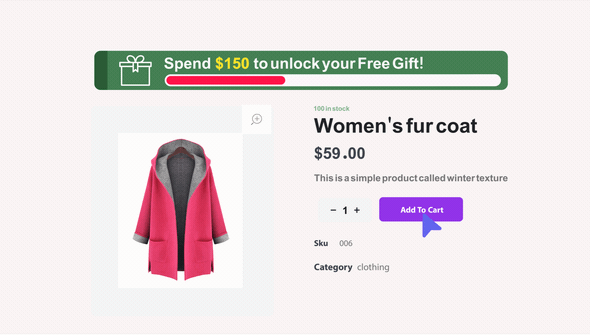
- Conditional rules: Creating complex rules with different conditions to run BOGO deals, creating FOMO, or triggering the gift based on user role or cart value is simply possible through an easy-to-use Rule Form.
- Visual notifications: The plugin has customization options for displaying promotion messages, bar notifications, or pop-ups on the checkout to encourage customer complete their purchases.
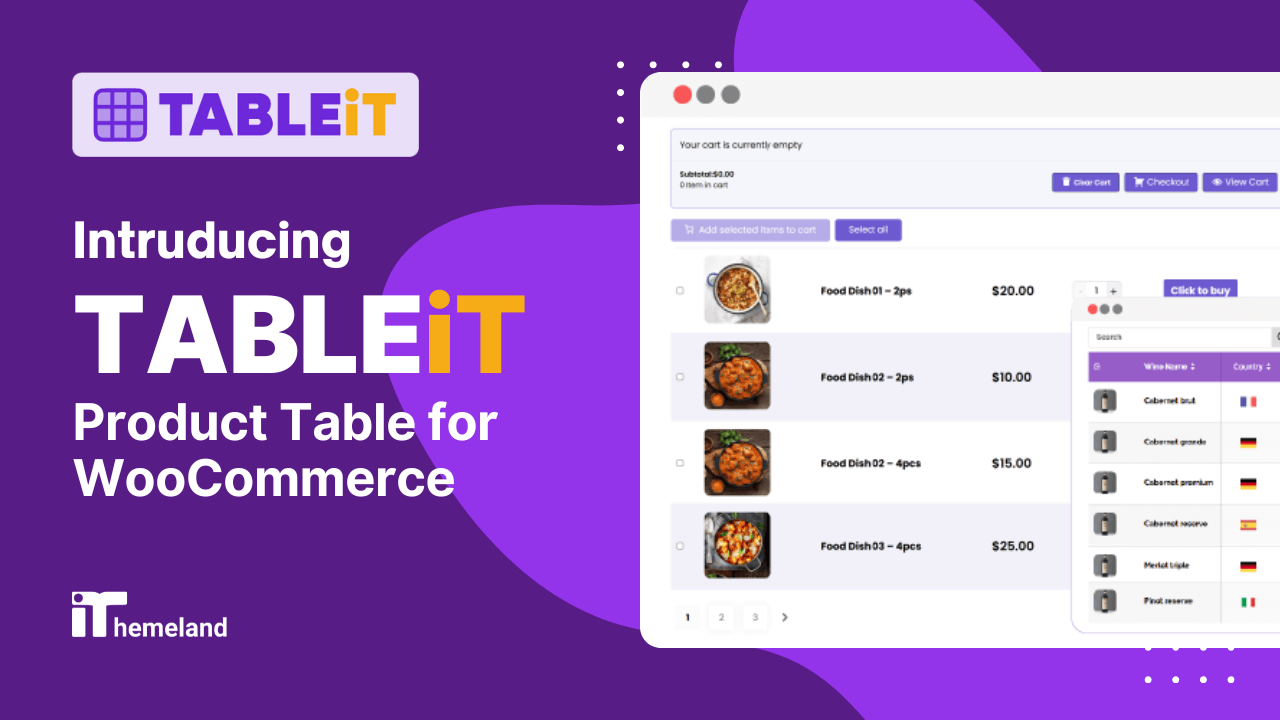
WooCommerce product table plugin is the best tool for stores selling multiple items—especially B2B, wholesale, or restaurants. If you need to speed up the purchasing process by customizing the traditional product page + cart + checkout flow, this plugin is an ideal choice.
By displaying products in a sortable, filterable table with add-to-cart buttons right there, customers are able to easily place bulk orders and complete the checkout process in a few seconds.
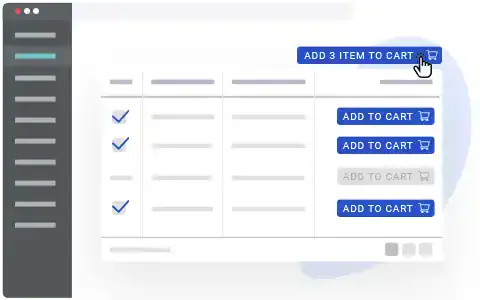
For any store with repeat purchases, displaying products in a table view with multi select add to cart button can reduce the path to purchase from 5-6 clicks to just 2.
The product table eliminates the need for product page visits and creates a “supermarket” experience where customers can compare and order everything quickly.
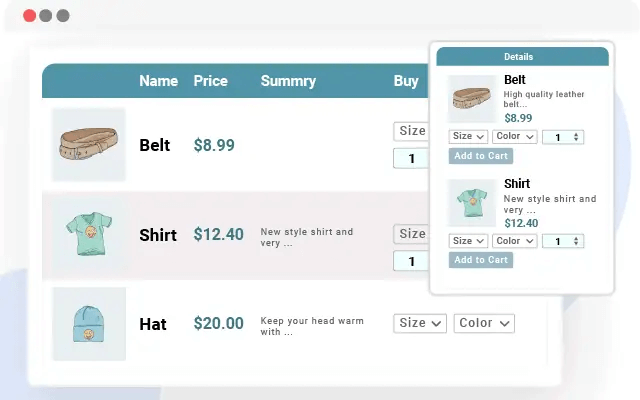
Key Features:
- Bulk add to cart: Customers can add multiple items at once.
- One-page shopping: Browse and purchase without leaving the page.
- Quick order form: Change quantity, add to cart directly, and review the cart items and amount are integrated in the table make it perfect for quick and repeat customers.
- Advanced filtering: Find products by category, attribute, or price.
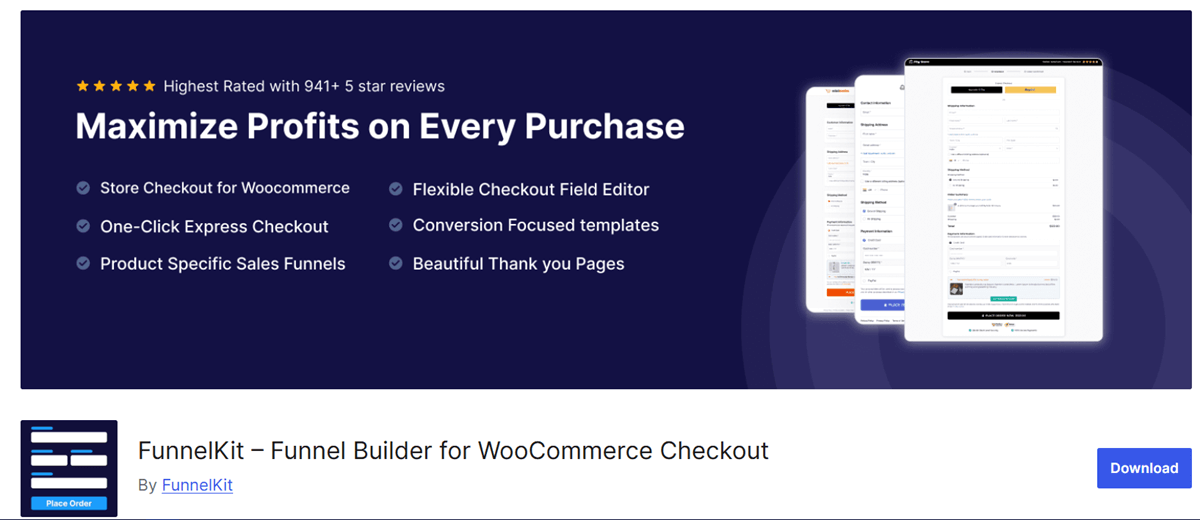
FunnelKit is a complete conversion optimization toolkit known as the best solution for WooCommerce stores that aim to maximize revenue.
The managers used FunnelKit, which reported that its order bumps helped them to increase AOV by 20-30%, and the A/B testing allowed them to continuously improve their performance.t9r4
Key Features:
- Pre-built checkout templates: Professionally designed, high-converting layouts
- Order bumps: One-click upsells right on the checkout page
- A/B testing: Test different checkout versions to find winners
- Analytics: Deep insights into where customers drop off
- Mobile-optimized: Perfect checkout on any device
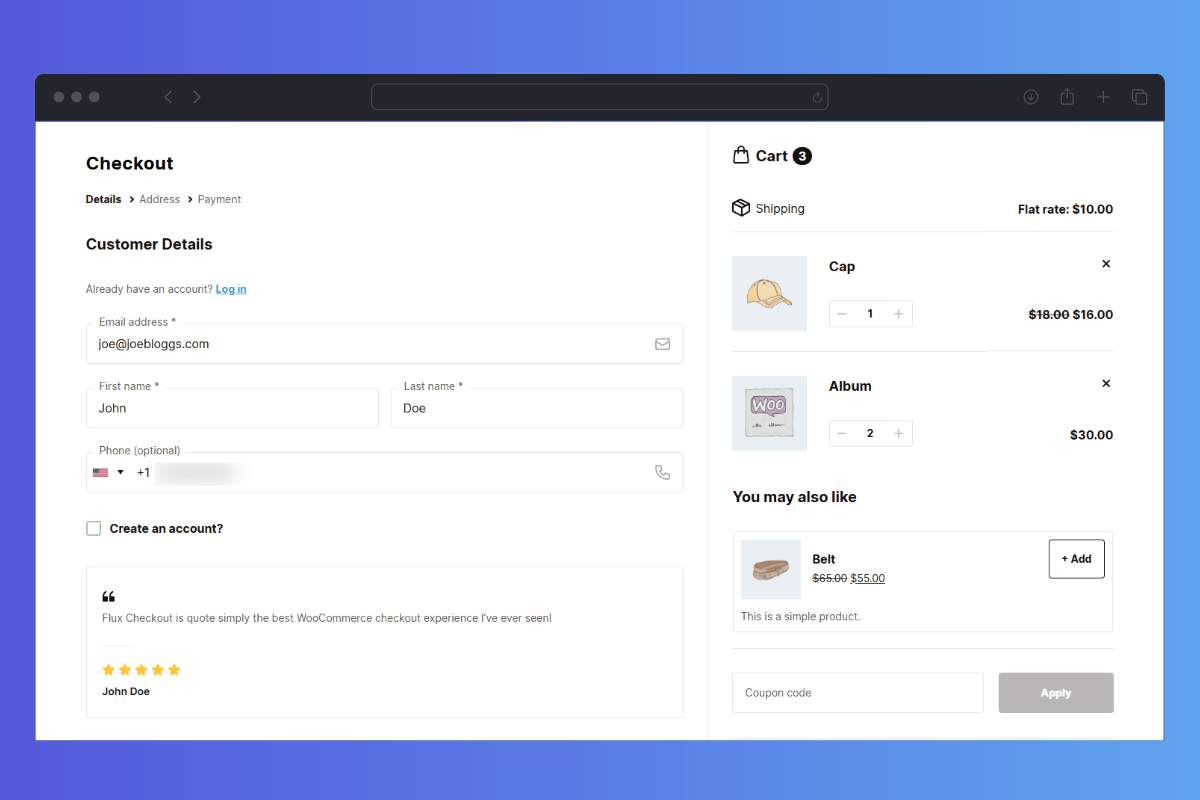
Flux Checkout provides customization options for the checkout page to strip away everything distracting and presents a clean, focused checkout experience.
By designing a clean checkout form that reduces the cognitive load, especially on mobile, where screen space is precious, customers feel satisfied and complete their purchase with no overwhelming steps.
Key Features:
- Mobile-first design: Built for thumb-friendly shopping.
- Multi-step checkout: Breaks forms into digestible chunks.
- Address autocompletes: Reduce typing errors and frustration.
- Payment method icons: Clear visual indicators.
- Lightning fast: Minimal JavaScript, maximum speed.
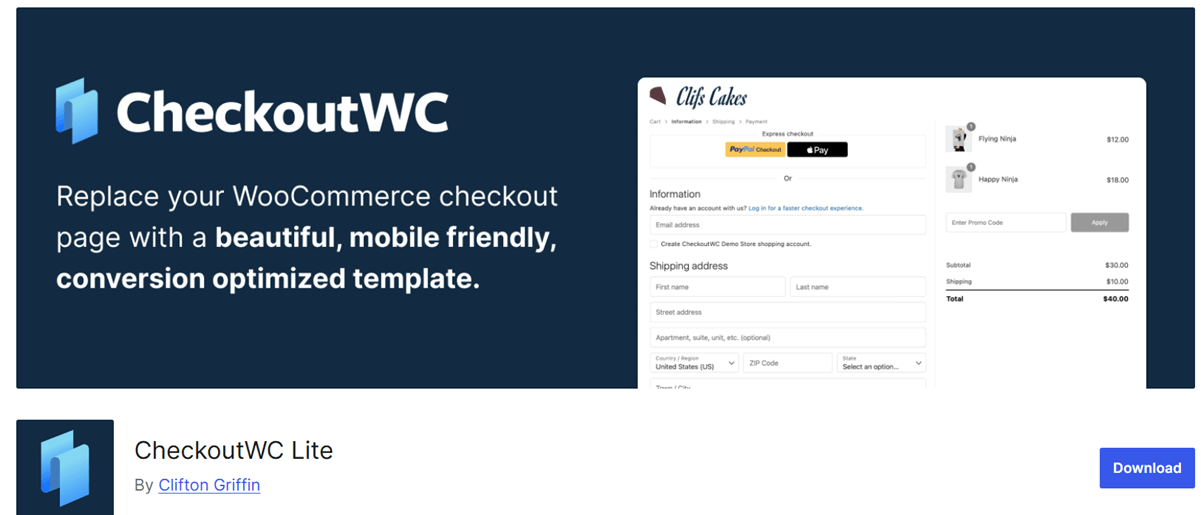
CheckoutWC brings the smooth, modern checkout experience for customers by creating a Shopify-Style Experience in WooCommerce stores.
If you want to create a seamless and professional checkout that builds trust, CheckoutWC is your best choice.
It provides pre-designed templates that make the customization process fast and easy for managers.
Key Features:
- High-converting templates: Multiple designs to match your brand
- Shopify-style layout: Order review and payment on the same page
- Built-in analytics: Track abandonment and conversion rates
- Conditional field logic: Show only what’s relevant
- International ready: Multi-currency and language support
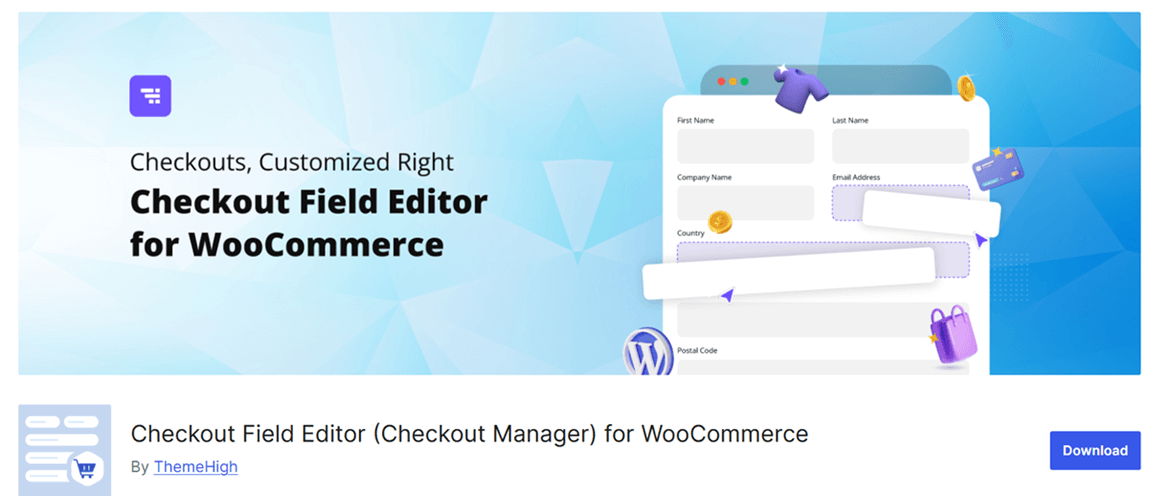
WooCommerce Checkout Field Editor is perfect when you just need to control the checkout fields. This is an official WooCommerce plugin allowing you to add or remove the default inputs (like removing the company name or adding delivery instructions).
Key Features:
- Add custom fields: Collect additional information
- Remove unnecessary fields: Shorter forms = higher conversions
- Reorder fields: Logical flow matters
- Make fields required/optional: Based on your needs
- Add validation: Ensure clean data
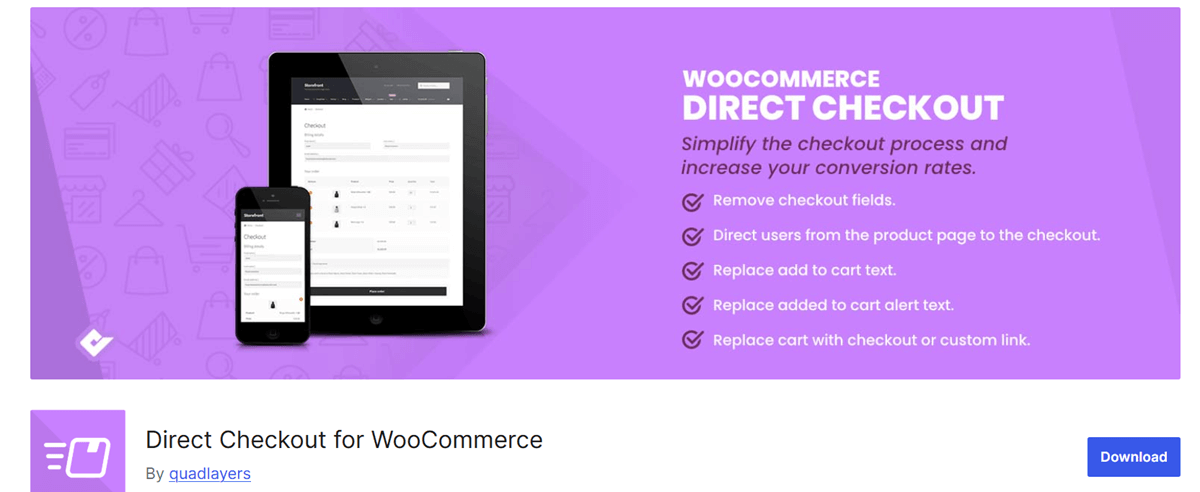
Direct checkout plugin is designed to improve customer purchase journey by removing the cart page entirely and letting them complete their orders from the product page to checkout.
This is an ideal solution for single-product stores, digital downloads, impulse buys, mobile shoppers, or any situation where the cart adds unnecessary friction.
The result of shrinking the buying process and making the order steps more straightforward is increasing conversion rates and decreasing cart abandonment.
Key Features:
- Remove cart page: Customers go straight to checkout
- Add to cart redirect: Immediately send to checkout
- AJAX add to cart: Add items without page reload
- One-page checkout: Everything visible at once
Free vs Premium Checkout Plugins (Comparison Table)
| Plugin | Best For | Price | Key Feature | Direct Checkout | Field Control |
|---|---|---|---|---|---|
| GIFTiT (Ithemland) | Increasing AOV | Premium | Auto free gifts | No | Limited |
| Product Table (Ithemland) | B2B/Bulk orders | Premium | Bulk add to cart | Yes | No |
| FunnelKit Checkout | Maximum conversions | Premium | Order bumps + A/B testing | Yes | Advanced |
| Flux Checkout | Mobile optimization | Premium | Clean, fast UX | Yes | Basic |
| CheckoutWC | Professional design | Premium | Shopify-style templates | Yes | Advanced |
| Checkout Field Editor | Custom forms | Free/Premium | Field management | No | Complete |
| Direct Checkout Plugins | Speed | Free/Premium | Skip cart page | Yes | Basic |
How to Choose the Right Checkout for Your Store
With so many excellent options, it’s important to pick the best checkout for WooCommerce based on Your Needs:
- For B2B or wholesale store: Start with the WooCommerce Product Table Plugin to help customers order multiple items quickly, and make bulk ordering possible for them. Then use the direct checkout plugin to remove the cart entirely.
- For increasing AOV: The GIFTiT plugin is your secret weapon to encourage larger purchases by offering free gifts.
- For boosting conversion rate: FunnelKit Checkout is ideal by offering a combination of order bumps, A/B testing, and professional templates.
- For speed up and simplicity: Use either Flux Checkout or the direct checkout plugin to remove every possible friction point and watch abandonment drop.
- For adding custom fields: Use a WooCommerce checkout manager like Checkout Field Editor to help you collect specific information.
- For professional redesign: The CheckoutWC plugin offers gorgeous templates that build trust instantly.
GIFTiT – Free Gifts For WooCommerce
The smart way to optimize checkout in WooCommerce
Conclusion
Choosing the best checkout for WooCommerce in 2026 is not complicated when you understand your specific customers and their needs.
Start by identifying your biggest friction points. Is it slow ordering for B2B customers? Consider the WooCommerce Product Table Plugin.
Is it a low average order value? GIFTiT can help.
Is it general checkout abandonment? A dedicated checkout plugin like FunnelKit or Flux will make a dramatic difference.
You just need to remember that every second matters for your customers. So, by making the buying process as simple and fast as possible, you can actively convert more customers and increase their order value.
FAQs About WooCommerce Checkout Plugins
What is the best checkout for WooCommerce?
The best checkout for WooCommerce depends on your needs. The Product Table Plugin is excellent for maximizing conversions. The GIFTiT plugin is also wonderful for reducing cart abandonment.
Is there a free WooCommerce checkout plugin?
Yes, there are several free WooCommerce checkout plugin options available:
- WooCommerce Checkout Field Editor (official free version)
- Direct Checkout for WooCommerce (basic free versions available)
- CheckoutWC offers a limited free version
- FunnelKit has a free version with core features
Can I customize WooCommerce checkout fields?
Absolutely! The free WooCommerce Checkout Field Editor (by WooCommerce) lets you add, remove, and reorder fields. Premium versions like Flexible Checkout Fields offer advanced features like conditional logic, file uploads, and date pickers.
How do I reduce cart abandonment in WooCommerce?
To reduce cart abandonment:
- Use a direct checkout plugin to remove the cart step
- Optimize for mobile with a responsive checkout
- Simplify forms using a checkout field editor
- Add trust badges and security seals
- Offer multiple payment options
- Use exit-intent offers or free gift incentives like GIFTiT plugin.


