

Are you looking for a solution to help you analyze data in your WooCommerce store and make strategic decisions? Without considering the role of data in strategic decision-making for WooCommerce, you’re essentially guessing what your customers truly want. This gap between your effort and your customer’s requirements is where opportunities are lost, and money is left on the table.
The key to bridging this gap lies in using a WooCommerce data analysis tool, such as the Advanced Reporting for WooCommerce plugin, to transform raw data into a clear report that fuels real growth.
Understanding Strategic Decision-Making in E-Commerce
When running an online store, you have a destination in mind—growth, success, and stability—but without a clear view of performance, you’re unable to recognize the obstacles ahead.
Strategic decision-making in e-commerce is only possible by leveraging deep WooCommerce data analysis results in replacing guesswork with confidence that directly increases sales and customer loyalty.
This is precisely where a powerful tool like the WooCommerce Reports plugin becomes indispensable. Generating customizable reports is a perfect way to transform overwhelming data into a clear, actionable story about your customers’ journey.
What Types of Data Can Your WooCommerce Store Generate?
WooCommerce can provide a rich repository of data, allowing you to constantly tell the story of your business and your customers.
The first step in understanding the Role of Data in Strategic Decision-Making for Your WooCommerce Store is defining the types of data generally generated in WooCommerce:
1. Customer & Order Data: The “Who” and “What”
The data generated from the orders answers the basic but critical questions about your sales.
- Who is buying? Data includes customer names, email addresses, geographic location, and whether they are new or returning.
- What did they buy? This is detailed order information: product IDs, categories, quantities, individual prices, and total cart value.
- When and how? Data includes order dates/times, payment methods used, and shipping methods selected.

This data helps you identify your best-selling products, understand your typical customer profile, and see seasonal purchasing trends.
2. Customer Behavior & Engagement Data: The “Why” and “How”
Another important type of data in WooCommerce reveals the journey a visitor takes on your site:
- Attribution: Where did your visitors come from? (e.g., Google search, a social media ad, an email newsletter).
- On-site Behavior: Which pages do they visit? How long do they stay? What do they click on? Most importantly, where do they abandon their cart?
- Product Interaction: Which products get the most views? What is being added to carts (even if not purchased)?
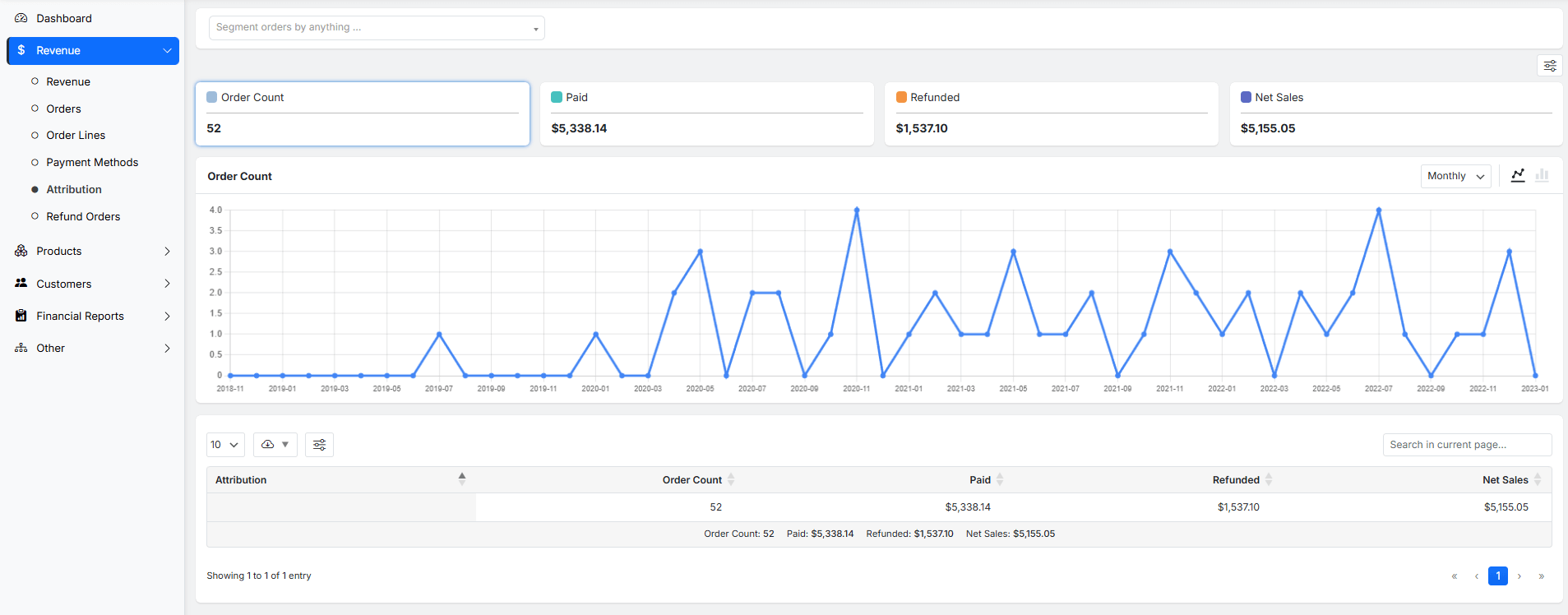
By evaluating this data, you can reveal the effectiveness of your marketing channels, identify popular content, and pinpoint exactly where you are losing potential sales.
3. Product & Inventory Data: The “How Much” and “What’s Left”
Analyzing product data is crucial for managing your bottom line and customer satisfaction. The most common data related to products are:
- Inventory Levels: Real-time tracking of stock quantity for each product variant.
- Product Performance: Sales amount and stock turnover rates.
- Best-selling products: Which items are often out of stock?
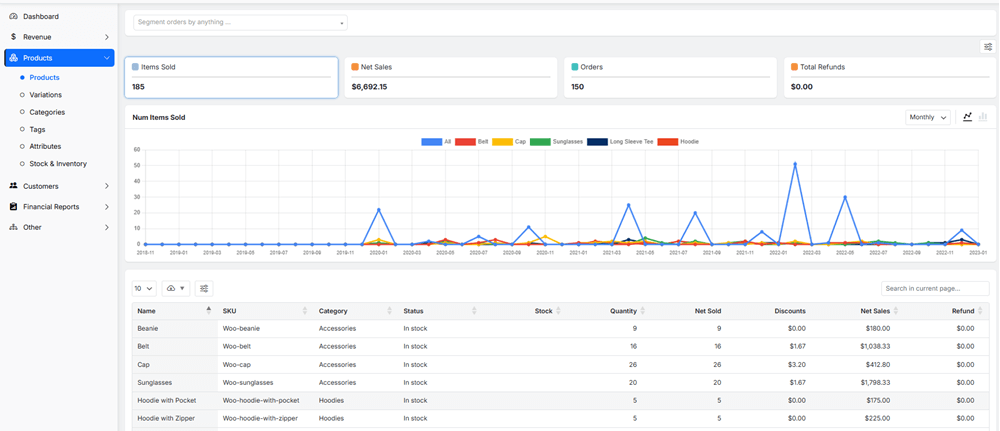
This data prevents stockouts and overstocking, helps you manage cash flow, and identifies which products are your most (and least) profitable.
Key Business Decisions Impacted by Data Insights
The role of data in strategic decision-making for WooCommerce cannot be denied. This shift toward data-driven decisions enables WooCommerce merchants to optimize their performance by managing inventory, improving customer experience, and ensuring resources are allocated effectively.
Let’s review the role of data in strategic decision-making for WooCommerce in detail:
1. Product & Inventory Management
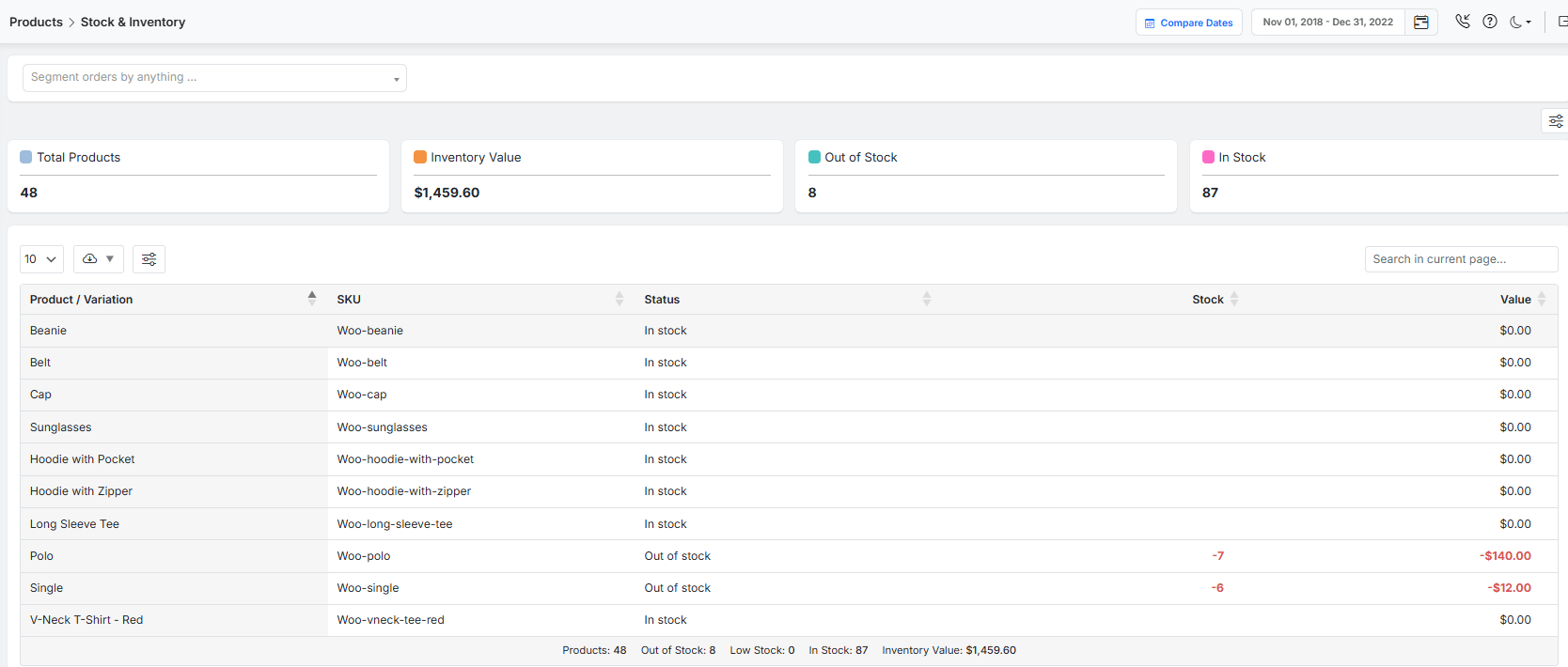
Effective WooCommerce data analysis regarding product and inventory management is essential to track sales and inventory turnover rates.
This analytical approach helps:
- Maintaining optimal inventory levels,
- Reducing storage costs while preventing stockouts,
- Supporting better cash flow management
- And improving customer satisfaction through reliable product availability.
2. Marketing & Customer Acquisition
The role of data in strategic decision-making becomes particularly evident in marketing optimization. By recognizing the most effective customer acquisition channels and campaign performance, businesses can allocate resources to the most attractive marketing strategies.
This data-driven decision-making approach across different customer segments and platforms helps managers to precisely:
- Target and personalize marketing campaigns,
- Improve conversion rates
- Maximize return on marketing investment.
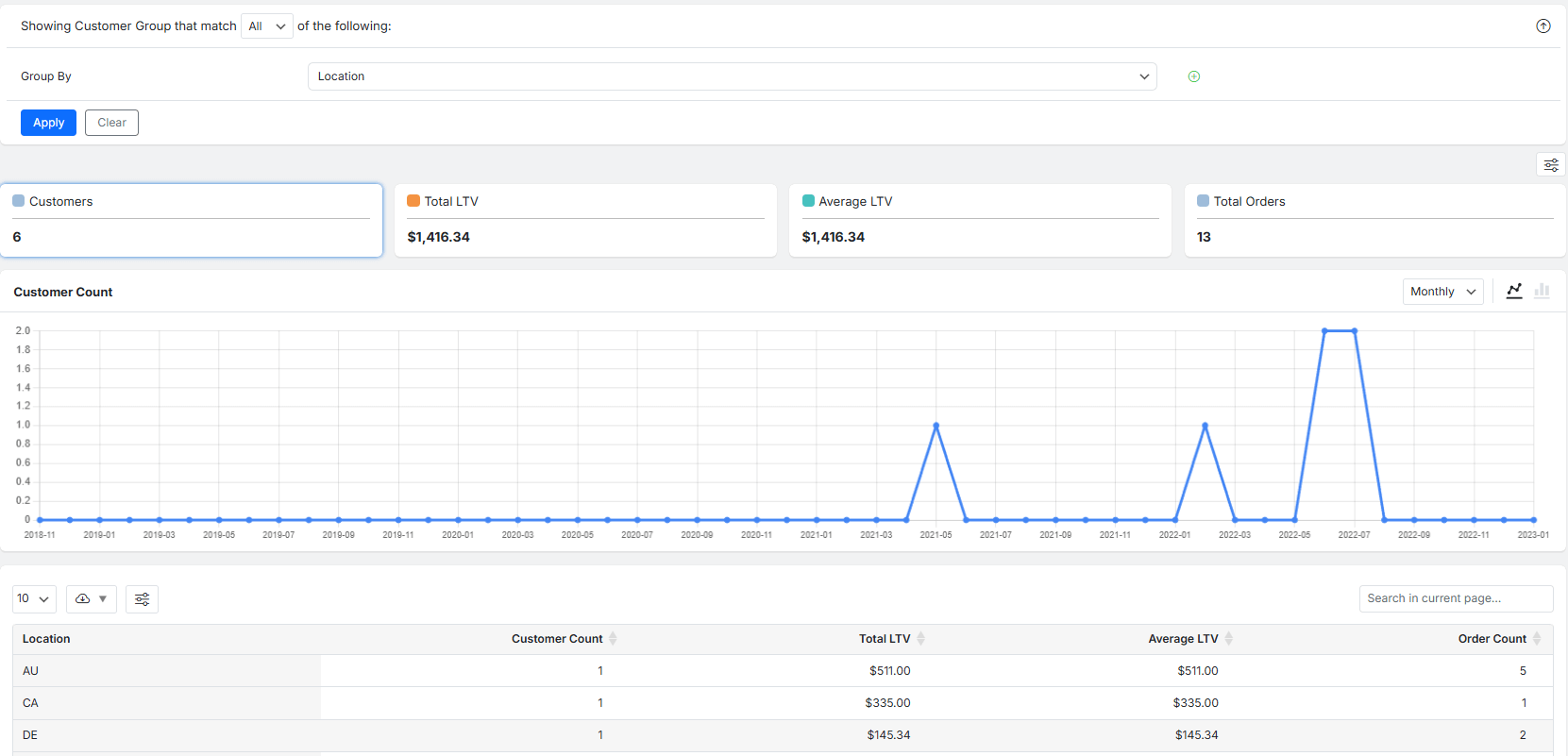
3. Customer Experience & Retention
WooCommerce data analysis reveals valuable patterns in customer behavior that directly impact experience and retention strategies.
By understanding navigation paths, purchase history, and engagement metrics, businesses can implement data-driven decisions in WooCommerce to enhance user experience by:
- Personalizing content,
- Optimizing website navigation,
- And developing loyalty programs

Analyzing this data can specifically address customer preferences and pain points, thereby increasing customer lifetime value.
4. Pricing & Promotional Strategy
The role of data in strategic decision-making for WooCommerce is crucial for developing effective pricing and promotional strategies.
This approach can help you to ensure promotions drive desired outcomes without unnecessarily compromising profit margins while maintaining competitive positioning in the market.
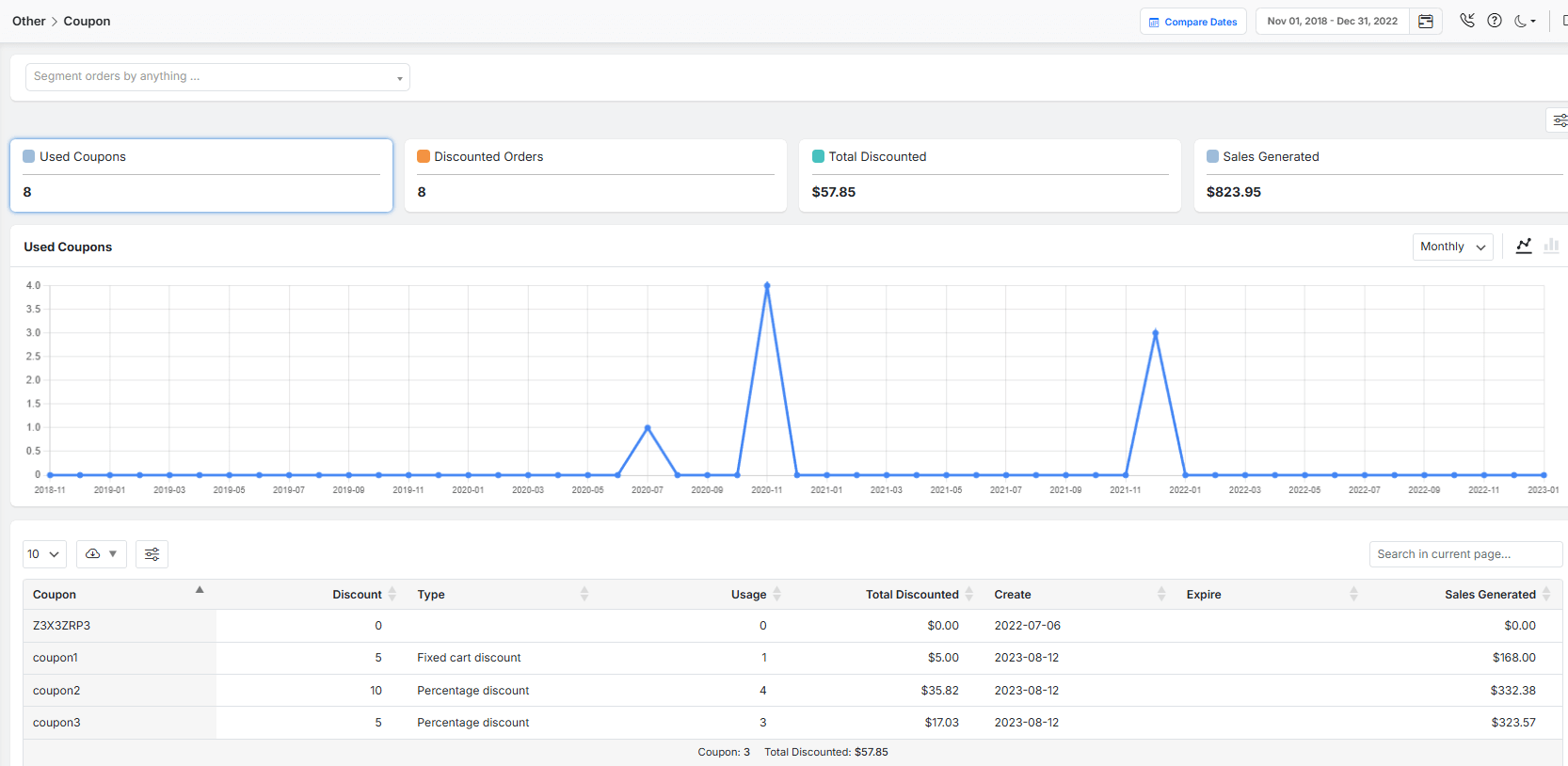
Collecting Data: Essential Tools and Plugins for WooCommerce
WooCommerce has built-in analytics tools; however, to make Data-driven decisions, you need to use advanced report plugins that provide more precise and effective data in an effective report. One of the most powerful tools designed specifically for this purpose is the WooCommerce Reports plugin. The plugin provides more than 50 reports with customizable options to transform raw store data into actionable insights, forming the foundation for data-driven decisions in WooCommerce.
What is the WooCommerce Reports Plugin?
WooCommerce reports plugin is an advanced tool that enhances the default WooCommerce analytics dashboard, providing deeper, more customizable, and visual reports.
Automating the data collection process from your store eliminates the need for manual spreadsheet exports.
You can find all key metrics essential for understanding the role of WooCommerce data in strategic decision-making and turning vague guesses into precise, evidence-based strategies.
Key Data You Can Extract from the Reports:
The reports available in the WooCommerce report plugin provide deep insights into customer behavior, product performance, and marketing ROI, forming the central nervous system for a WooCommerce data analysis.
Analyzing Customer Behavior: Interpreting User Data
Understanding your customers is the first step toward growth. The WooCommerce reports plugin allows you to analyze key user data by generating various types of Customer reports, including:
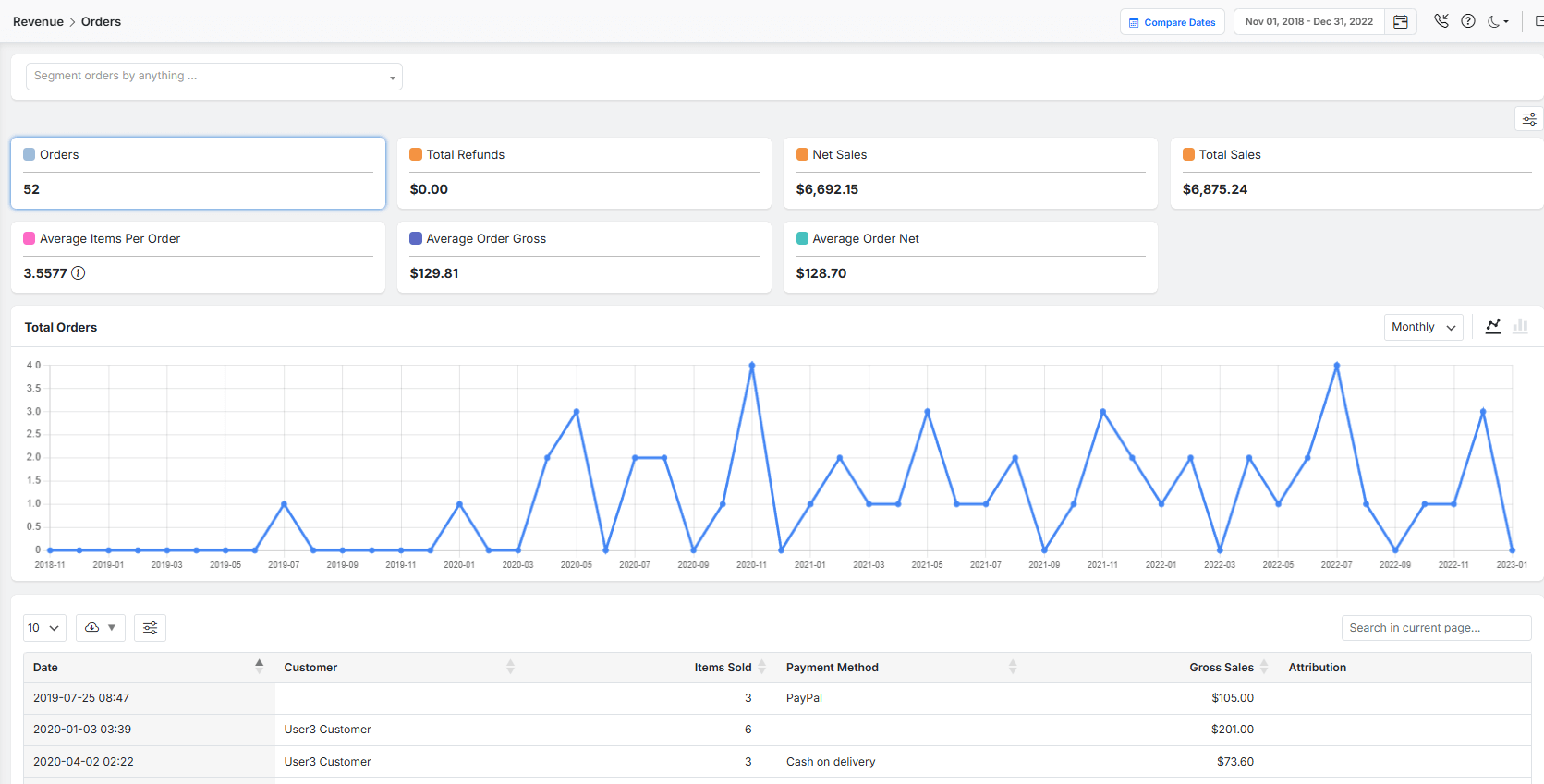
Order sales report: To track the customer journey from their first visit to the final purchase.
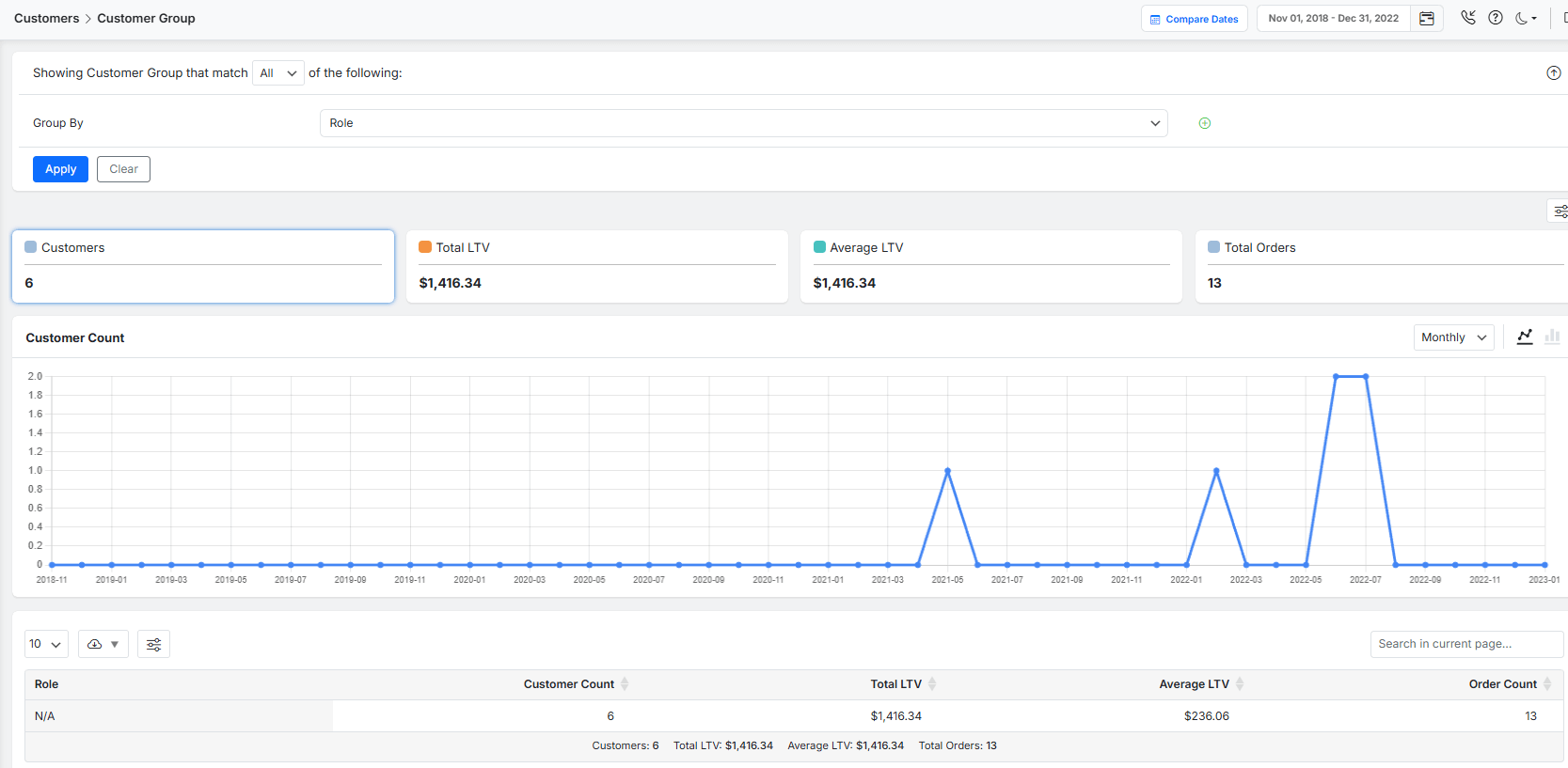
User role report: To understand how different user types (such as administrators, editors, or viewers) interact with the platform and utilize its features.
Furthermore, by examining the data in these reports, you can answer critical questions:
- Where are potential customers losing interest?
- What products are they considering but not buying?
This interpretation of user behavior is fundamental for creating a more intuitive and persuasive shopping experience.
REPORTiT – Advanced WooCommerce Reporting
The Direct Way to Fuel Growth with Data-Driven Strategy in WooCommerce
Inventory and Product Performance Analytics
The plugin provides essential data for analyzing product performance and inventory management.
You can generate Product sales report, Inventory Report, and even Category or Attribute sales report with one click, which highlight:
- Top-selling products/ category/ attribute,
- Slow-moving inventory,
- Overall stock turnover rates,
- And more
This data empowers you to make strategic decisions on which items to reorder, promote, or discontinue.
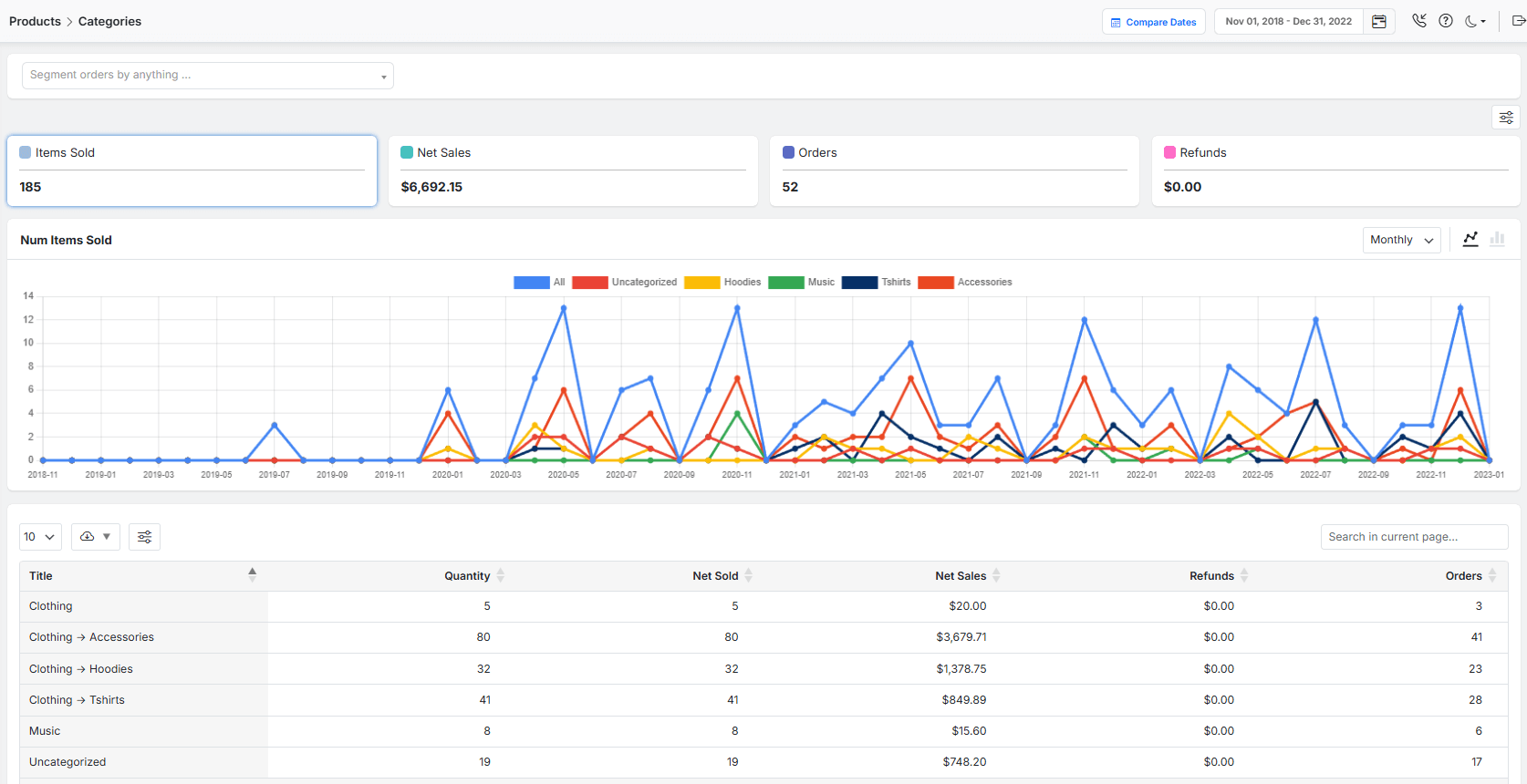
By aligning your inventory with actual demand, you optimize storage costs and ensure capital is not tied up in unsold goods, thereby improving your cash flow and profitability.
Optimizing Marketing Strategies Using Data-Driven Insights
Spending your marketing budget across multiple channels is not a reasonable strategy. To choose the best marketing channel, you can review the data in the Attribution report.
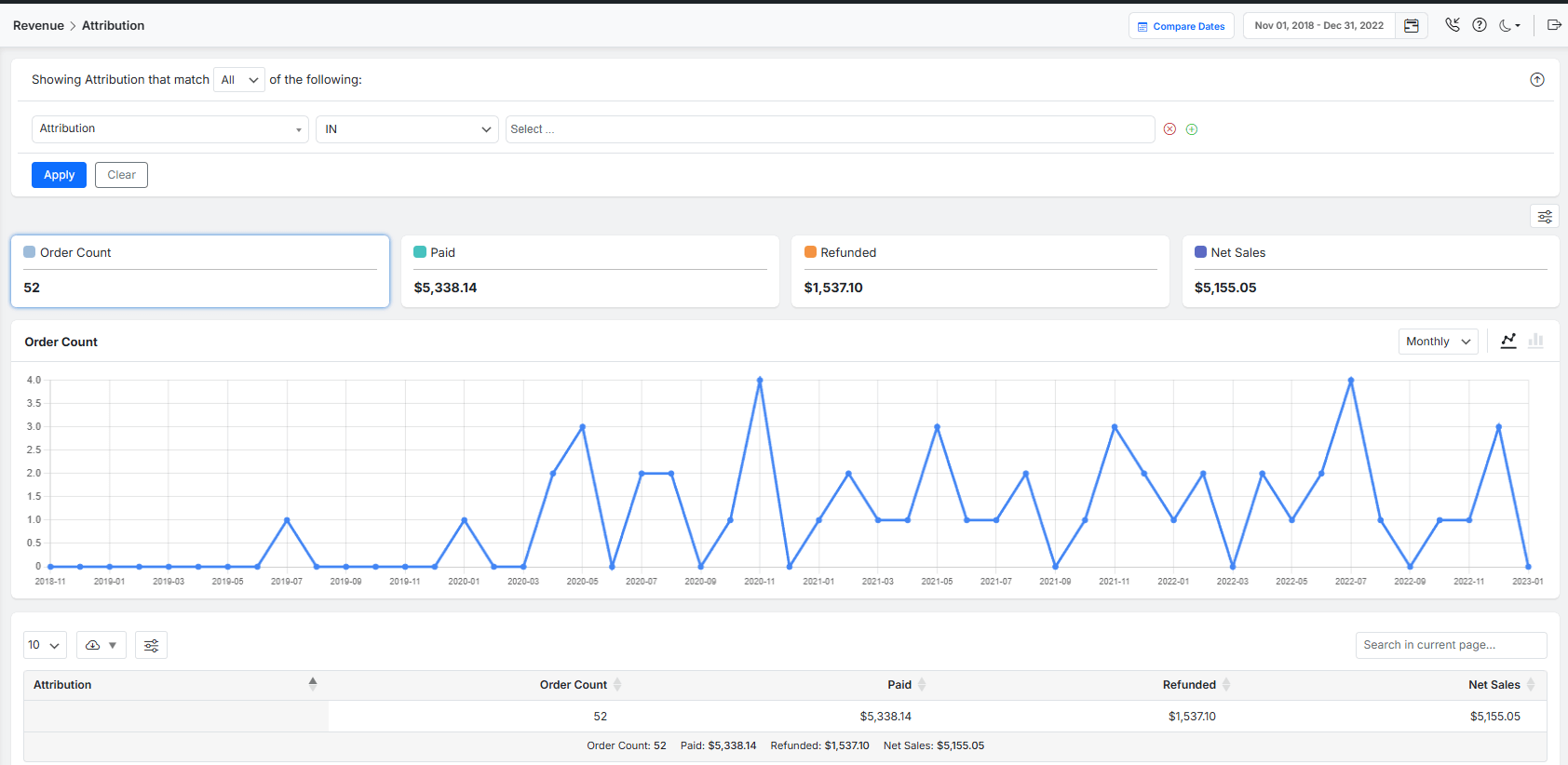
By calculating the exact return on investment (ROI) for each marketing channel in the Revenue report, you can exactly re-allocate your budget in the most effective ads and toward the high-converting strategies that genuinely drive growth.
Data-Driven Pricing and Revenue Management
Data-driven pricing and revenue management is simply possible by analyzing the data derived from your store’s performance.
The Revenue report in the Advanced WooCommerce reporting plugin allows you to identify items with high price risk, which means a small drop significantly increases sales, and those that customers are less sensitive to their prices.
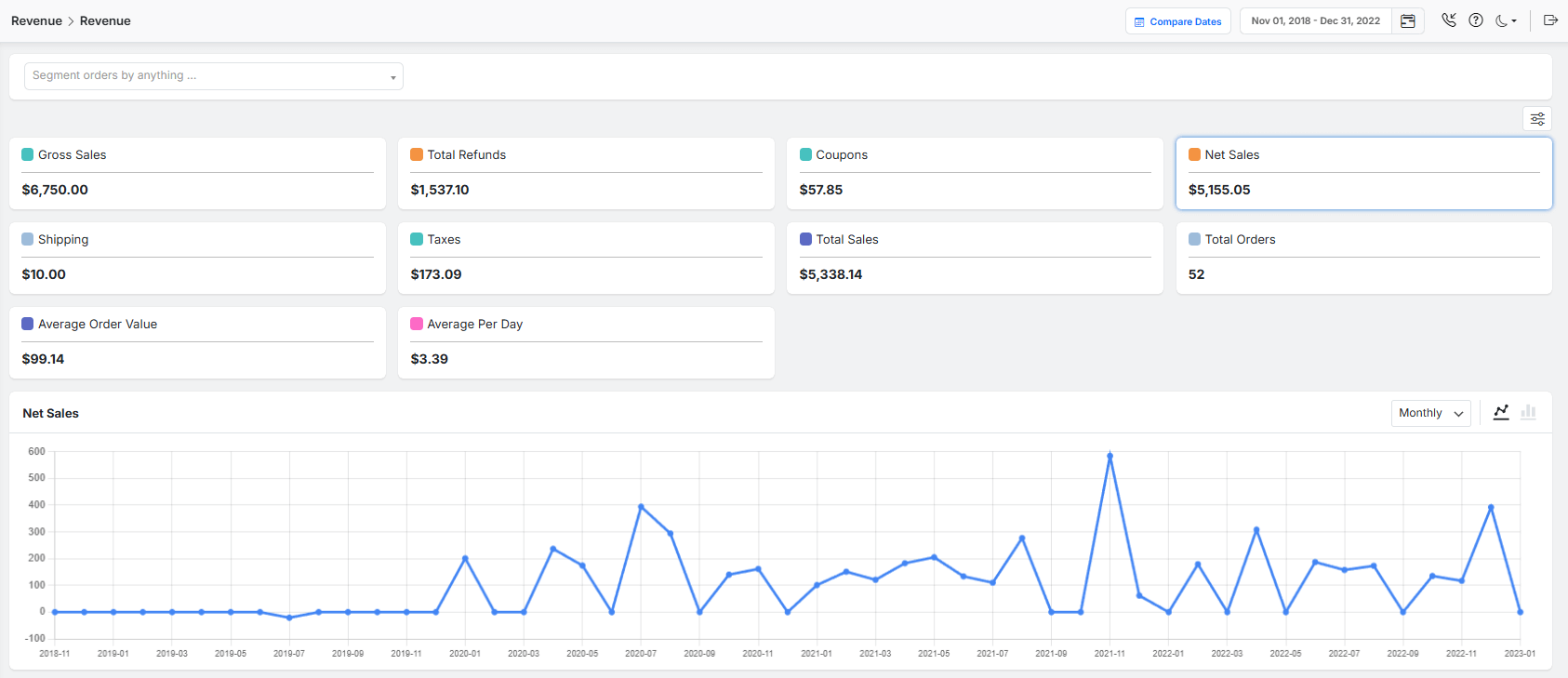
The role of data in strategic decision-making, WooCommerce, allows you to run targeted promotions, such as offering free gifts on slow-moving inventory, and helps you find the optimal price that maximizes both sales and revenue.
Personalization and Customer Retention Through Data
The WooCommerce reports plugin provides the data needed to build loyalty and improve customer relationships through personalization.
By identifying your most valuable repeat customers and understanding their purchase history, you can:
- Run loyalty programs and targeted promotions
- Recommend complementary products they’re likely to enjoy,
- And send them targeted offers that feel special, not generic.
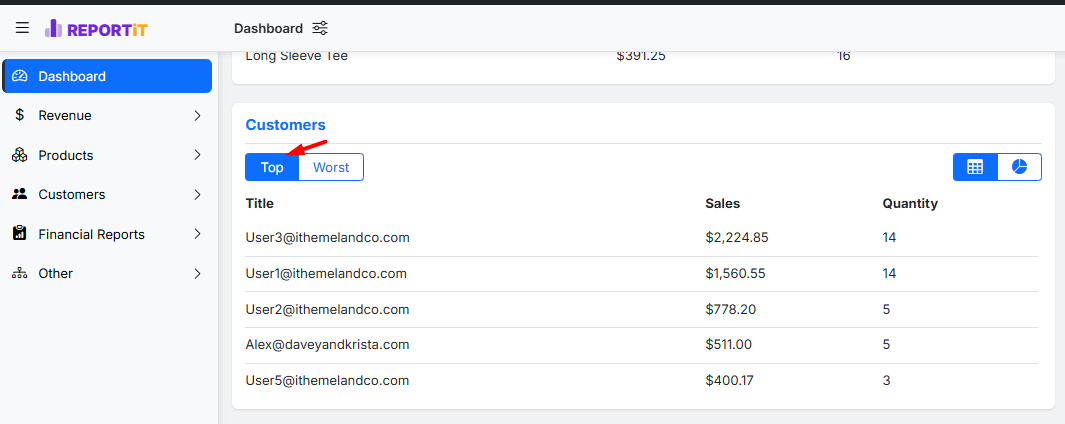
By implementing personalized strategies, your customers feel valued, significantly increasing their lifetime value and fostering the loyalty that sustains a business long-term.
Overcoming Common Challenges in Data Analysis for WooCommerce
Many store owners face significant challenges that prevent them from leveraging the full role of data in strategic decision-making in WooCommerce.
Common challenges include:
- Data being siloed in different platforms,
- A lack of technical expertise to interpret complex reports,
- And simply feeling overwhelmed by the sheer volume of information available.
To overcome this, first you need to focus on a few key metrics aligned with your primary business goals, rather than trying to analyze everything at once.
Then, try to utilize the centralized dashboard of the WooCommerce reports plugin to bring your data into one place.

The visual reports and summary lists in the Dashboard simplify your WooCommerce data analysis and transform a chaotic flood of numbers into a clear stream of insights.
It helps make data-driven decisions in WooCommerce with confidence.
Best Practices for Data Security and Compliance in E-Commerce
When you are collecting customer data to power your data-driven decisions in WooCommerce, it is important to secure that information.
A data breach can destroy customer trust and result in heavy regulatory fines. To prevent any problem regarding Security and Compliance in E-Commerce, best practices include:
- Always use SSL encryption on your site,
- Storing data on secure, PCI-compliant servers,
- And providing clear transparency to customers about how their data is collected and used
Despite the fact that robust data security is a technical requirement, you need to consider it as a core part of your brand’s promise.
By protecting customer data, you can create the trust necessary for them to shop with confidence, which directly supports the long-term role of data in strategic decision-making for your business.
Integrating Third-Party Analytics with WooCommerce
Integrating third-party analytics tools like Google Analytics, Facebook Pixel, or Mixpanel is an intelligent way to take your WooCommerce data analysis to a much deeper level.
These platforms allow you to track the entire customer journey, from the first action that they click on your ad to place an order in your store, resulting in providing a more holistic view of:
- Customer behavior,
- Ad performance,
- And onsite engagement.
By connecting these powerful tools, you can enrich the role of data in strategic decision-making in WooCommerce, gathering insights from different aspects to create a whole view of your business health and marketing effectiveness.
Take Actionable Steps: How to Start Using Data for Strategic Decisions
When you decide to consider the role of data in strategic decision-making for WooCommerce, it is important to follow this straightforward, seven-step framework for effective WooCommerce data analysis:
- Identify Your Required Reports: The first step is to identify your business goals such as understanding sales trends, customer loyalty, or product performance. Your goal can help you to define the specific reports you need to generate, such as a Revenue report, Customer report, or Product report.
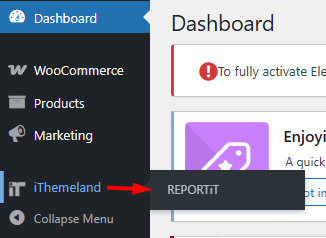
- Install & Activate the WooCommerce Reports Plugin: The next step is to install and activate the Advanced WooCommerce report plugin, which seamlessly integrates with your store and provides the deep insights you need without technical hassle.
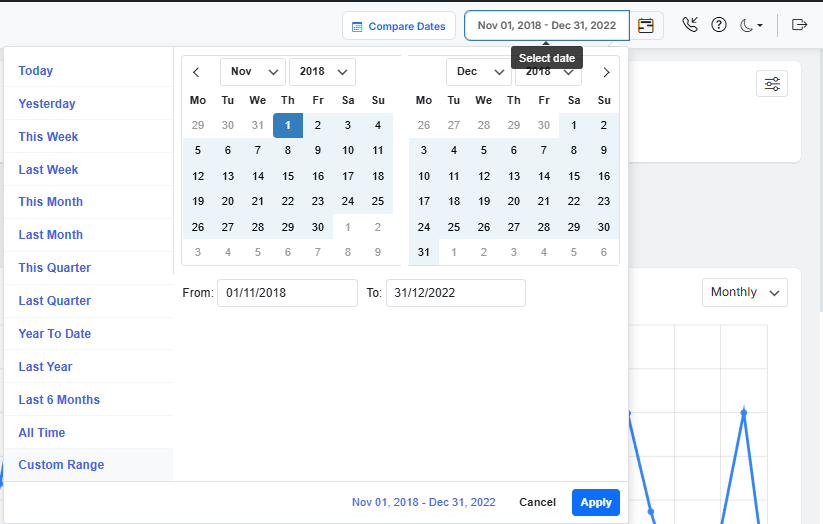
- Set Your Analysis Timeframe: The plugin has presets and a built-in calendar helping you to exactly specify the period you want to analyze. Defining your date range (e.g., Last 30 days, This Quarter, Custom Range) ensures you’re looking at relevant and comparable data.
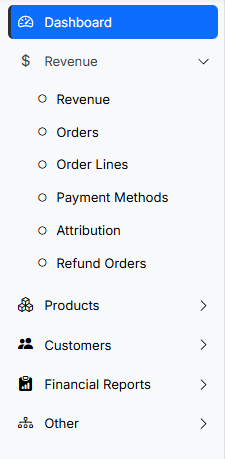
- Select the Specific Report Type: In the menu, you can navigate and select the specific report that answers your initial question. To simplify the process, all reports are divided into different categories, including Revenue, Customer, Product, Orders, etc. Simply open the tab and click on the report to generate it in a few seconds.
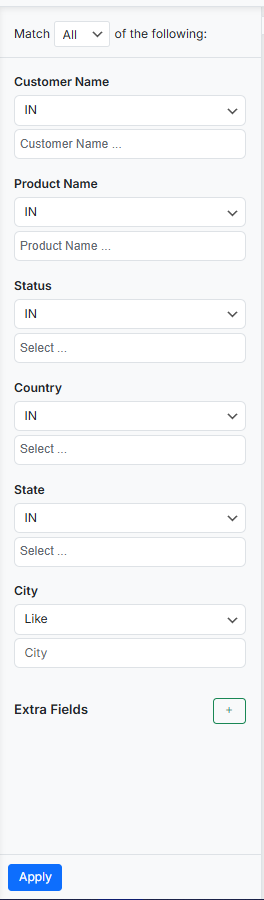
- Apply Advanced Filters for Precision: Using the filtering options in the plugin, you can narrow down the data by criteria like order status, customer location, user role, or product category.
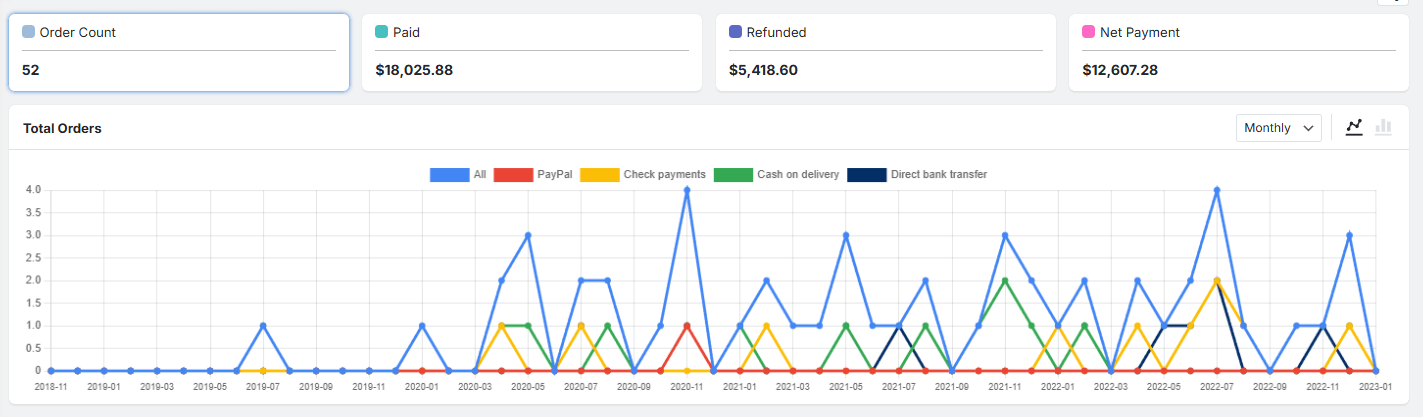
- Review and Interpret the Data: The plugin comes with amazing features for analyzing the data in the report. There are summary charts and a dynamic visual chart helping you to track the data easily.
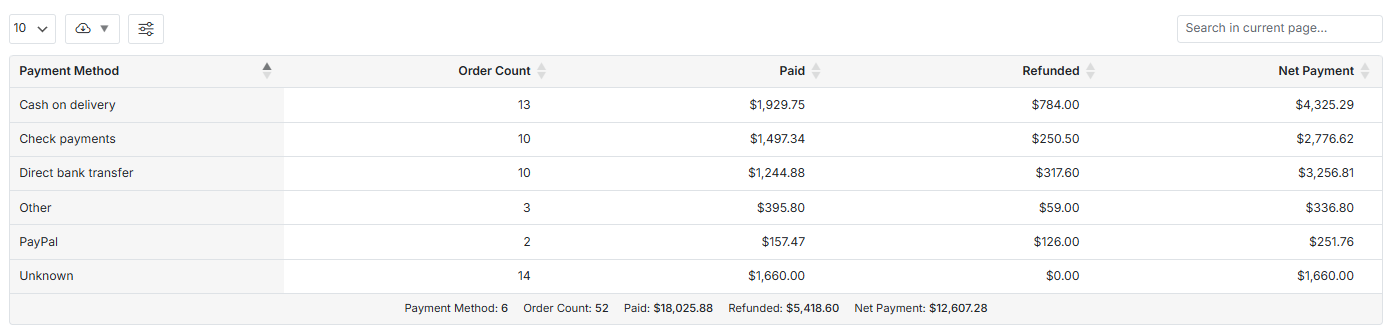
There is also a table report including all necessary information which is customizable and easy to download for further investigation.
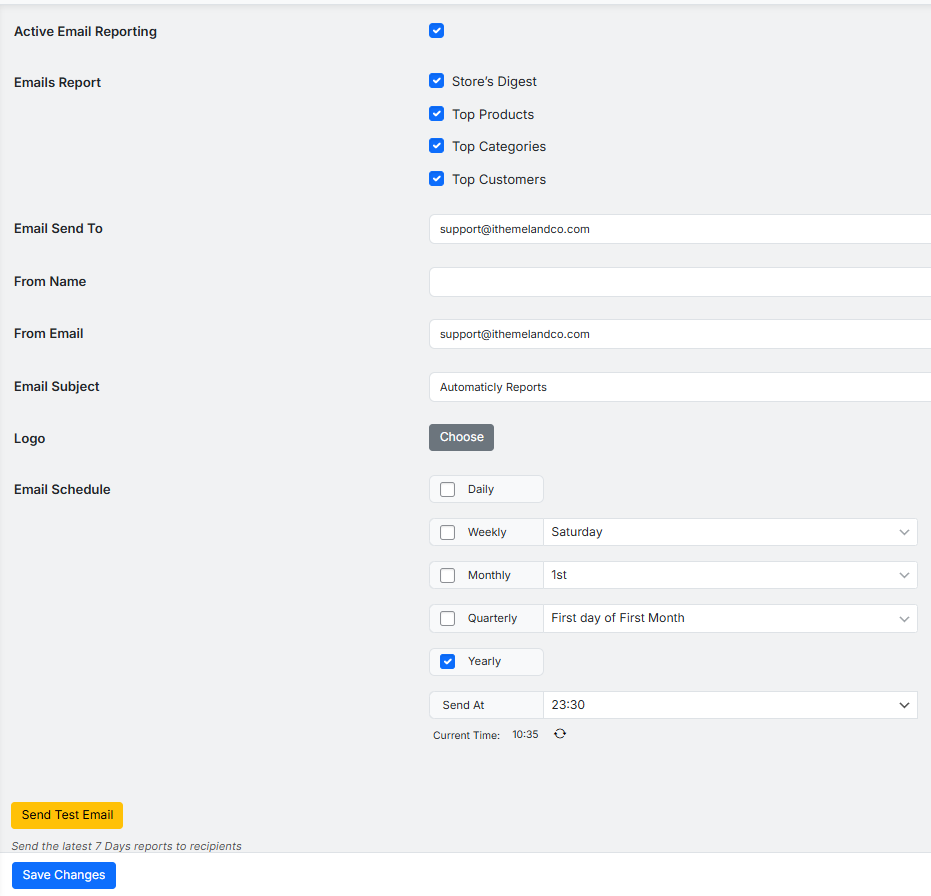
- Schedule Automated Email Reports: The final step is to set up “Schedule Email Reports” to automate the delivery of key reports to your inbox. You can receive all reports daily, weekly, or monthly to consistently review performance without manual effort. It can help you and your team to regularly understand the Role of data in strategic decision-making and apply strategies that align with real-time data.
Case Studies: Success Stories of Data-Driven WooCommerce Stores
Let’s review the success stories of brands that properly collected, analyzed, and converted data into action:
| Brand / Store | What they did (with data / analytics) | Results / Achievements |
|---|---|---|
| Segafredo Zanetti (Australia & NZ) | Used analytics via Metrilo on their WooCommerce site to segment customers (B2C vs B2B), track behavior, optimize funnel, and send personalized email campaigns | One reactivation email campaign generated over US $700 with minimal effort (~2 minutes); they achieved about US $7 revenue per sent email. |
| Yumi (juice-subscription brand in France) | Tracked acquisition channels and set KPIs (cost per purchase, revenue per channel), performed cohort analysis, monitored conversions by channel and incentive (e.g. coupons), and fine-tuned marketing accordingly | Enabled profitable growth by focusing on effective channels and controlling acquisition cost — avoided unprofitable channels, optimized marketing spend, and improved customer retention. |
| Barrington Coffee Roasting Company | Analyzed acquisition channels and conversion performance rather than just traffic volume; identified high-converting channels (e.g. review sites) and dropped underperforming ads; used customer data to offer personalized offers and subscription options | Improved conversion rates; increased efficiency in marketing spend; better customer retention and stable recurring revenue via subscriptions. |
REPORTiT – Advanced WooCommerce Reporting
The Direct Way to Fuel Growth with Data-Driven Strategy in WooCommerce
Conclusion: The Future of Data in WooCommerce Decision-Making
By growing your business, the role of data in strategic decision-making for WooCommerce becomes more important. To successfully use data analysis for improving your store performance, integrating third-party plugins with WooCommerce is crucial.
These analytics tools, like Advanced WooCommerce Reporting plugins provide you a clear view to focus on creative strategy and customer relationships.
The stores that embrace this data-centric approach, transforming their WooCommerce platforms from simple storefronts into intelligent, learning business partners that continuously optimize themselves for growth and customer satisfaction.
FAQ
Q: Why is data important for making decisions in a WooCommerce store?
A: Data provides actionable insights into customer preferences, sales trends, and marketing effectiveness, enabling more informed and successful strategic decisions for WooCommerce store owners.
Q: What are the best tools for analyzing WooCommerce store data?
A: Popular tools include Google Analytics, WooCommerce Analytics, Metorik, and plugins like Enhanced Ecommerce and Customer Insight solutions.
Q: How can data help improve marketing strategies for my WooCommerce store?
A: By tracking campaign results and customer behavior, data allows you to refine targeting, optimize ad spend, and create personalized messaging that resonates more effectively with your audience.
Q: What data should I focus on to grow my WooCommerce sales?
A: Key data points include conversion rates, average order value, cart abandonment rates, customer lifetime value, and top-performing products.
Q: Is it difficult to implement data-driven decision-making in WooCommerce?
A: While there are some learning curves, many user-friendly plugins and integrations are available, making it accessible for most WooCommerce store owners to start leveraging data for better decisions.


