
To export products in the PBULKiT – Bulk Edit WooCommerce Products – Plugin, you must click on the “Import / Export” tab.
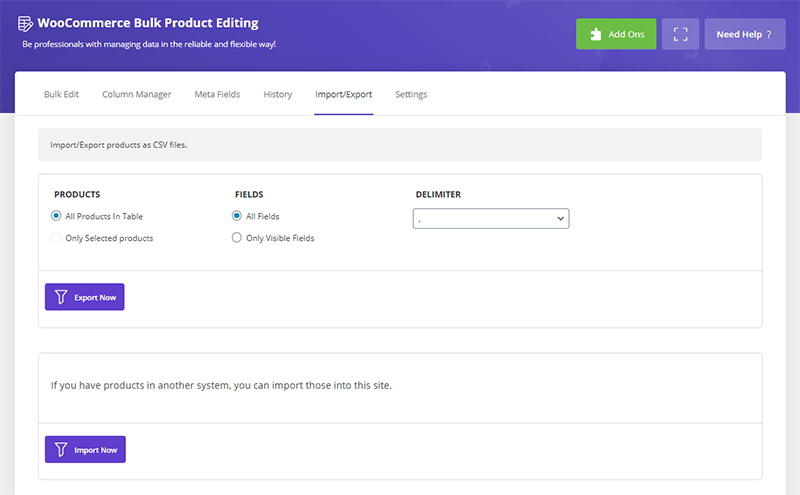
This page is divided into two separate sections for “Export” and “Import”. In the “Export” section there are the following options:
1- All Products In Table: Export all products displayed in the table
2- Only Selected products: Export only selected products
3- All Fields: Consider all fields related to the product
4- Only Visible Fields: Consider only the fields that are active and displayed in the table
5- Delimiter: Separator
6- And finally the “Export Now” button
Read More: How to export data from PBULKiT – Bulk Edit WooCommerce Products – plugin?
Comments