


Woocommerce marketing budget optimization can directly influence how efficiently a WooCommerce store attracts customers, supports purchasing decisions, and turns everyday store activity into measurable growth. The topic is not only about applying a single tactic. It is about understanding the customer need, choosing a practical workflow, and using the right metrics to decide whether the strategy is actually working.
A larger marketing budget does not guarantee better results. Store managers need to compare campaign revenue, margin, repeat value, channel performance, and acquisition cost before deciding where to increase, reduce, or reallocate spending.
In this guide, store owners will learn how to approach WooCommerce marketing budget optimization step by step and apply the ideas more efficiently with REPORTiT – Advanced Reporting for WooCommerce. The goal is to direct marketing spend toward campaigns and customer segments that create stronger returns. The article should give readers enough context to choose a suitable approach, avoid common mistakes, and move from a general idea to a repeatable WooCommerce workflow.
Quick Answer:
WooCommerce marketing budget optimization means spending more on campaigns, channels, products, and customer segments that create measurable profit, and reducing budget where results are weak. To do this properly, store managers need reports on revenue, orders, customers, products, coupons, refunds, and campaign periods. For this workflow, use REPORTiT – Advanced Reporting for WooCommerce.
To analyze budget performance, after installing the plugin, go to WordPress Dashboard > iThemeland > REPORTiT, select a sales, product, customer, or coupon report, set the campaign date range, and apply filters for order status, product, category, coupon, location, or customer group. Then compare the results with previous periods or other campaigns.
This helps managers make marketing decisions based on evidence instead of guesswork. REPORTiT plugin shows which campaigns generate revenue, which products deserve promotion, and which customer groups may need different offers.
What Are WooCommerce Reports?
WooCommerce reports are powerful analytical tools that provide a data-driven foundation for understanding and growing your store.
They can automatically track, compile, and present key metrics from every aspect of your store, including:
- Sales: Revenue, net sales, refunds, and taxes.
- Orders: Number of orders, average order value, and items purchased.
- Customers: New vs. returning customers, customer location, and purchase history.
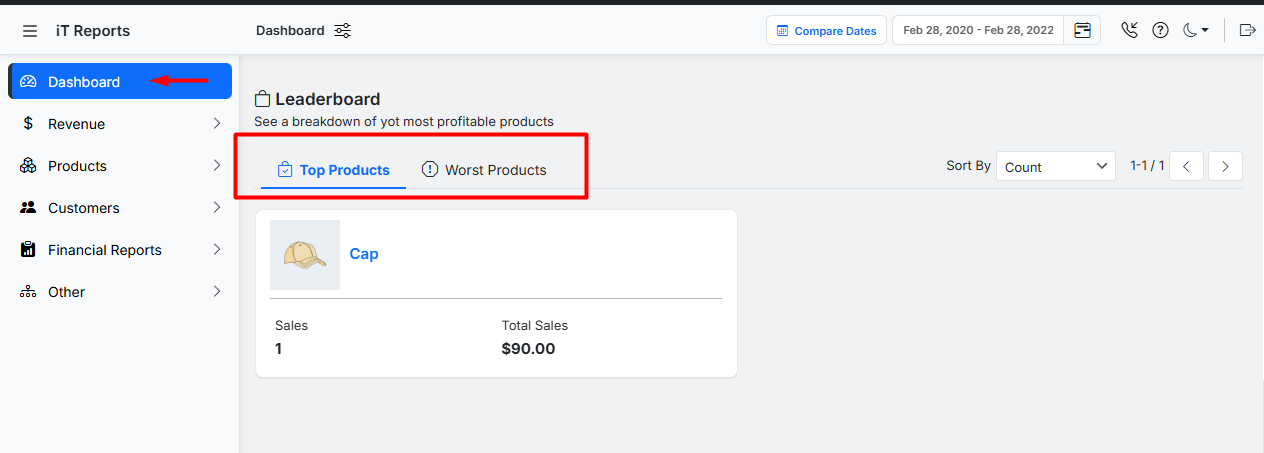
- Products: Best and worst-selling products, stock levels, and categories.
- Taxes and Coupons: Performance of discounts and tax liabilities.
The core strength of WooCommerce reports lies in its ability to help you optimize your WooCommerce marketing budget.
Instead of guessing which campaigns are working, you can use these reports to see exactly which coupons drive sales, which products are most profitable, and which customer segments are most valuable.
This enables you to make informed decisions, allocate spending to high-performing channels, and ultimately enhance your return on investment.
Types of Reports Available in WooCommerce
Many types of WooCommerce reports enable store owners to optimize their marketing strategies and refine customer targeting, thereby maximizing return on investment.
Below are key report types generated by the WooCommerce reports plugin, each designed to address specific aspects of your store’s performance.
1. Sales Reports
Sales reports offer a comprehensive overview of your store’s financial performance. In this report, you can track useful metrics over specific periods (daily, weekly, monthly, or custom ranges) like:
- Total revenue,
- Net sales,
- Refunds,
- And taxes.
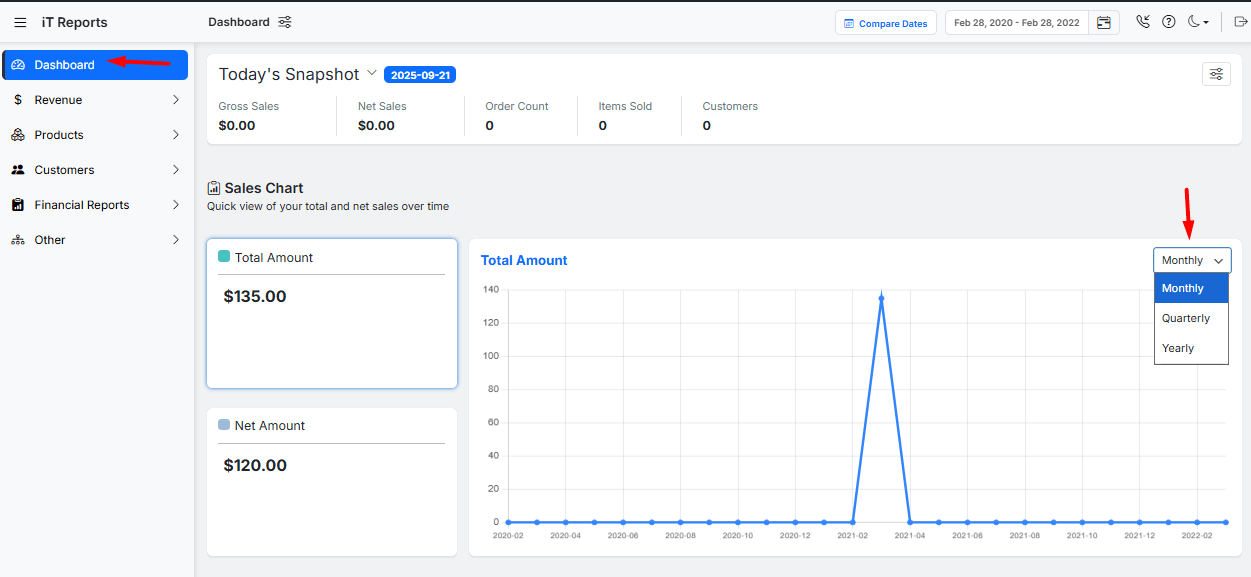
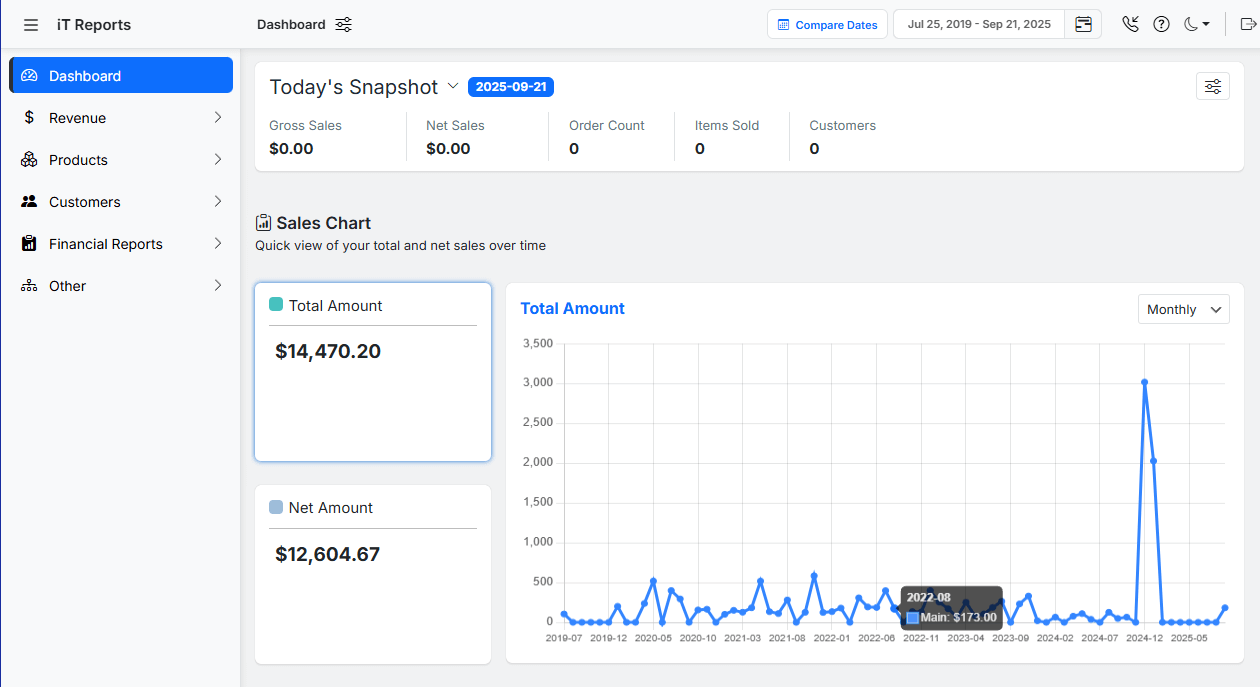
You have access to the Sales Report simply on the Woo Report Dashboard. The plugin will automatically generate this report and show the data as a chart or a table report.
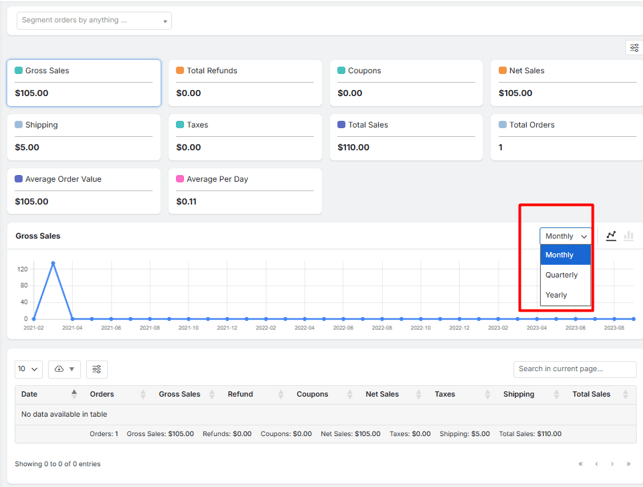
You can get help from this report to identify sales trends, peak selling periods, and identify the impact of marketing campaigns on revenue.
It is also useful for allocating your WooCommerce marketing budget more effectively, focusing on strategies that drive the highest revenue.
2. Customer Reports
Customer reports provide insights into your audience’s behavior and demographics. They include data on customer registrations, order history, geographic location, and customer lifetime value (CLV).
Read more: How to Get Customer Lifetime Value (CLV) Report in WooCommerce?
You can generate different types of Customer reports with one click on the options available under the Customer menu.
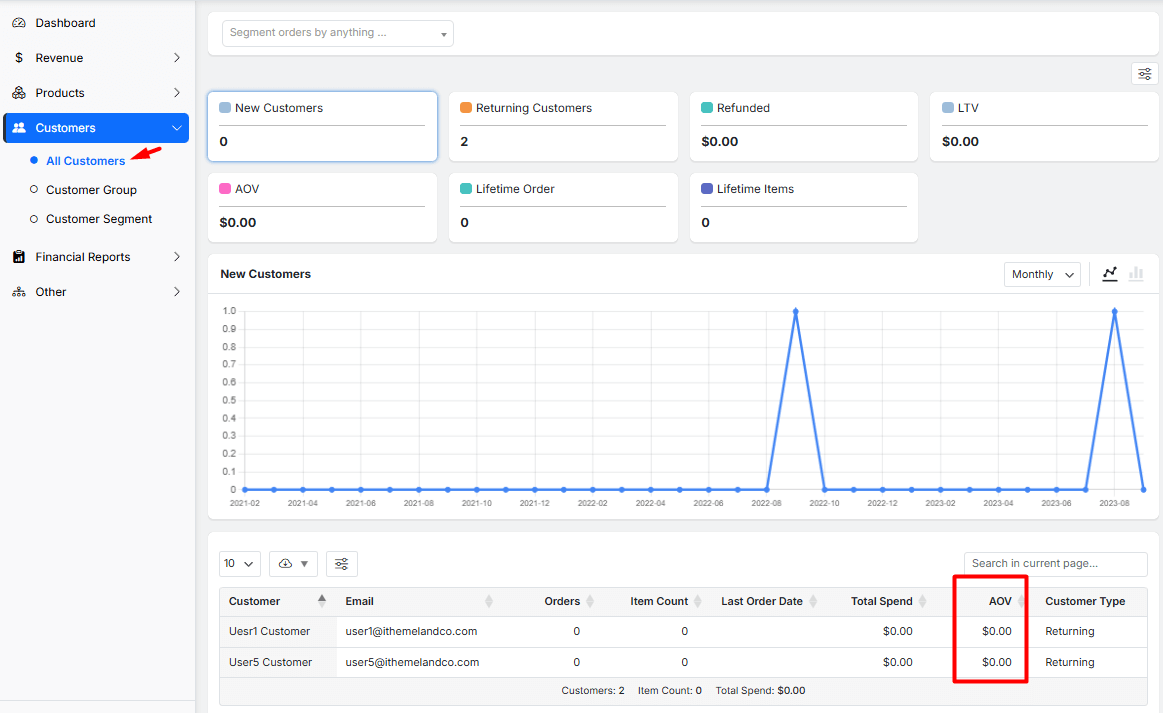
These reports help segment customers based on purchase frequency, average order value, and engagement levels.
It is also possible to receive a Geographical report by opening the Other menu and choosing Location from the options.
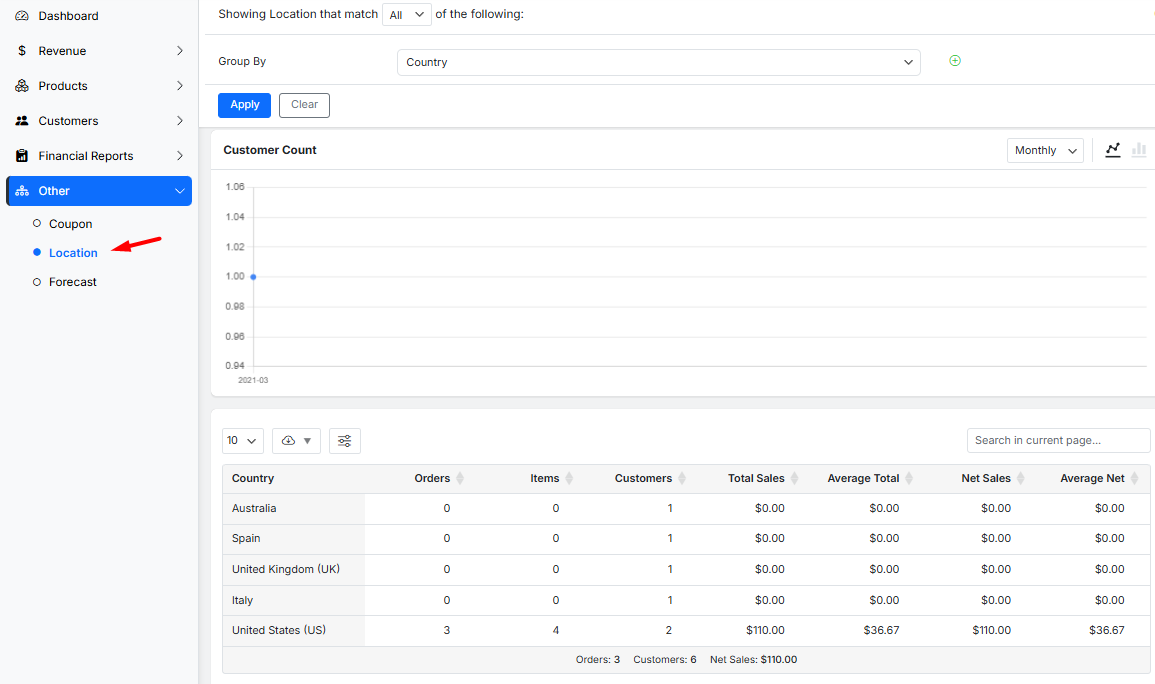
With this information, you can tailor marketing efforts to high-value segments, personalize communication, and improve customer retention, ultimately optimizing your WooCommerce marketing spend.
3. Product Reports
Product reports analyze the performance of individual items in your catalog. They display metrics such as best-selling products, low-performing items, stock levels, and sales by category.
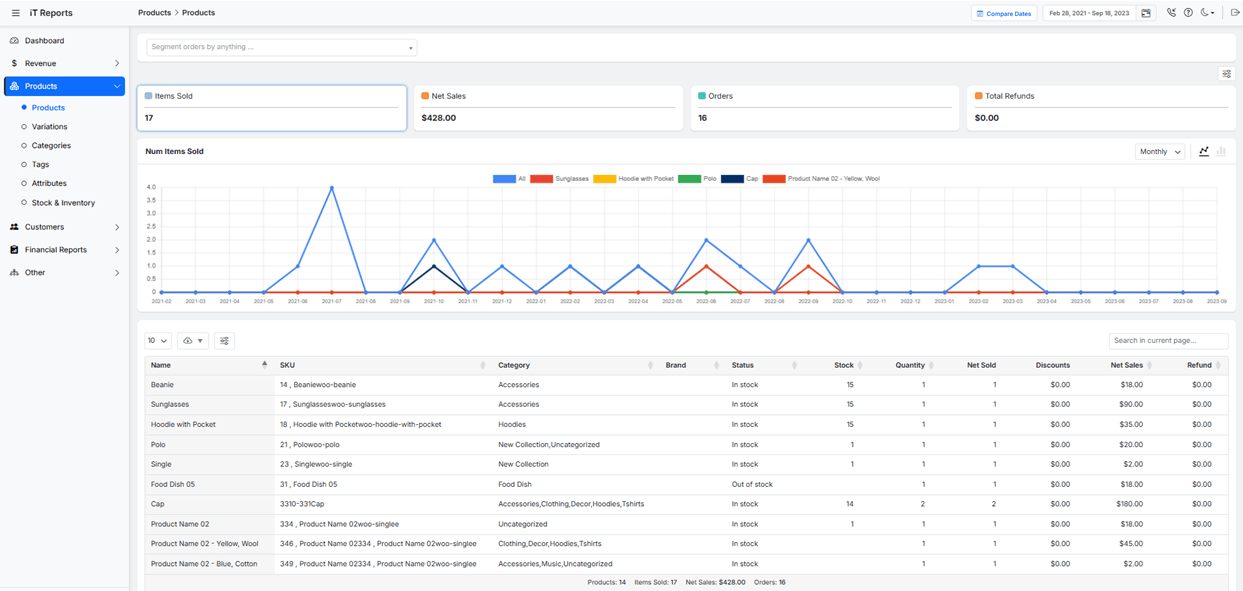
For instance, by identifying top-performing products, you can manage to supply more of them. On the other hand, for underperforming items you may need to consider discounts or repositioning to boost their sales. Understanding product trends helps you to optimize your WooCommerce marketing budget by focusing ad spend on high-demand products and phasing out poor performers.
4. Coupon Reports
Coupon reports evaluate the effectiveness of discount campaigns. To track coupon usage, revenue generated from coupons, and the most popular discounts, generate the Coupon report under the Other menu. The data in this report helps assess which coupons drive sales, attract new customers, or simply reduce profit margins.
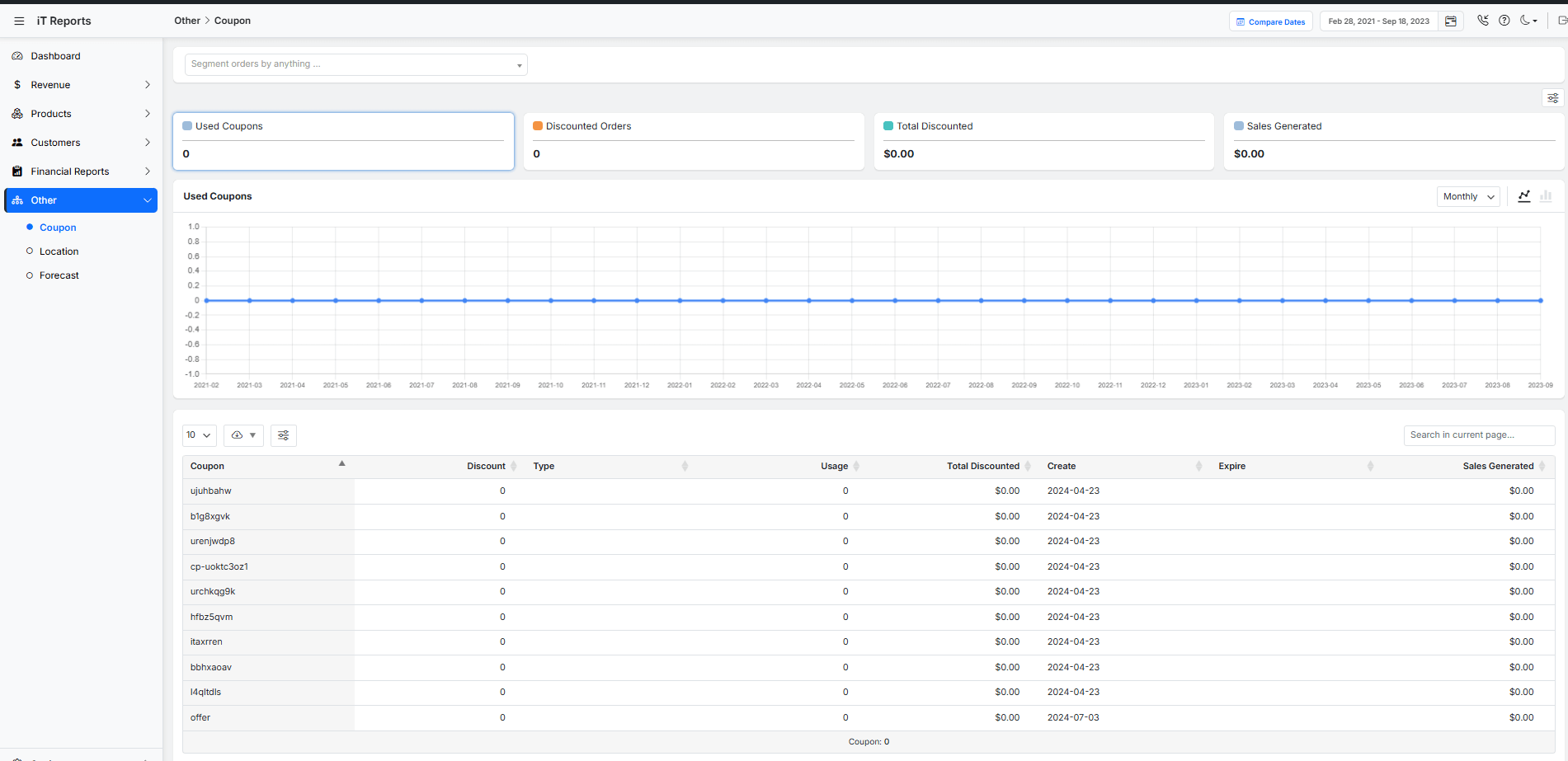
By analyzing coupon performance, you can refine your discount strategies, eliminate underperforming coupons, and optimize WooCommerce marketing efforts to maximize ROI.
Read more: How to Get a WooCommerce Coupon Usage Report (3 Practical Methods)
5. Tax and Shipping Reports
Tax and shipping reports provide clarity on operational costs. Tax reports detail collected taxes by region, simplifying compliance and financial reporting.
You can review the data related to the tax and Shipping in the Orders report, as shown below:
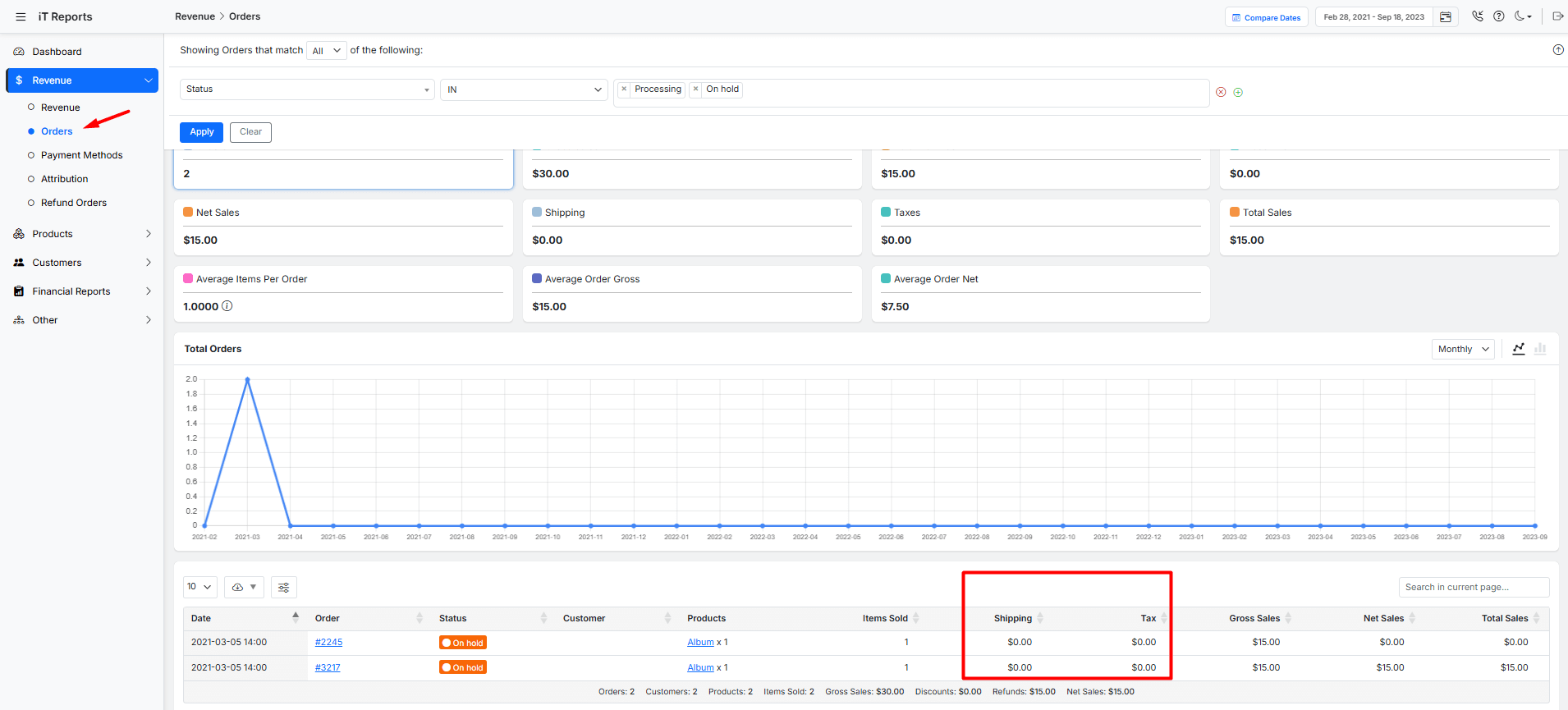
These insights help identify opportunities to reduce operational expenses, such as negotiating better shipping rates or optimizing tax strategies, freeing up more budget for marketing initiatives.
Read more: How to Generate Sale Tax Reports in WooCommerce (Complete Guide)
Key Metrics to Track for Marketing Effectiveness
Optimizing your WooCommerce marketing budget requires tracking key metrics in WooCommerce reports, which are helpful to identify opportunities and allocate resources effectively.
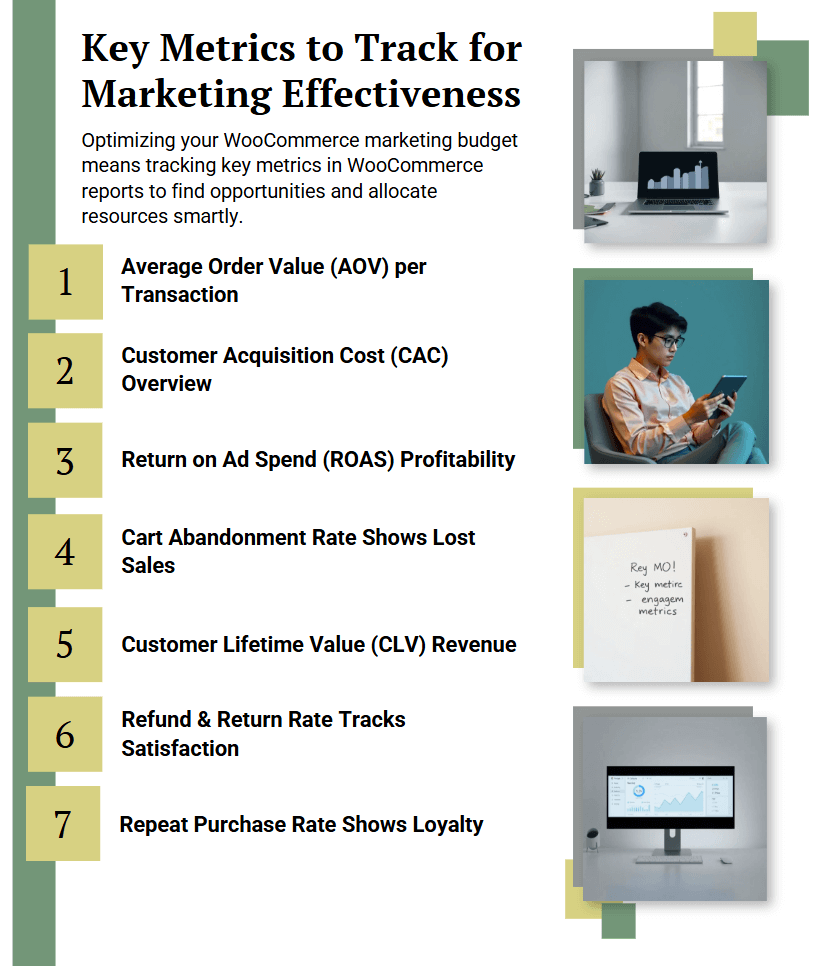
Below are the critical metrics to track, supported by insights from WooCommerce analytics and the WooCommerce report plugin:
- Average Order Value (AOV): Use WooCommerce Revenue reports to monitor AOV trends. Elevating AOV through upselling is key to WooCommerce marketing budget optimization.
- Customer Acquisition Cost (CAC): Calculate CAC using WooCommerce reports data. Keeping CAC low ensures profitable WooCommerce marketing budget optimization.
- Return on Advertising Spend (ROAS): Track ROAS to evaluate campaign effectiveness. This helps optimize WooCommerce marketing by reallocating budget to high-performing ads.
- Cart Abandonment Rate: Analyze abandonment reasons to reduce it and directly improve marketing ROI and help optimize WooCommerce marketing.
- Customer Lifetime Value (CLV): Calculate CLV using WooCommerce Customer reports to identify valuable segments. Increasing CLV is crucial for long-term WooCommerce marketing budget optimization.
- Refund and Return Rate: Monitor in WooCommerce Orders reports to identify issues. Reducing returns contributes to WooCommerce marketing budget optimization by minimizing wasted ad spend.
- Repeat Purchase Rate: Use WooCommerce Customer reports to measure customer loyalty. Improving retention helps optimize WooCommerce marketing by maximizing customer lifetime value.
How To Use Sales Reports to Evaluate Marketing ROI
Sales reports provide critical insights into revenue trends, product performance, and campaign effectiveness, enabling you to calculate ROI accurately resulted in reallocating budgets to high-impact activities, and eliminate wasteful spending.
Below is a practical guide to using these reports for ROI evaluation.
Identifying High-Performing Products and Channels
Use WooCommerce reports to shift budgets toward products and channels with the highest ROI, ensuring efficient WooCommerce marketing budget optimization.
Reports to Analyze in WooCommerce:
- Sales by Product Report: Identify top-selling products and their revenue contribution. Allocate more budget to promote these products.
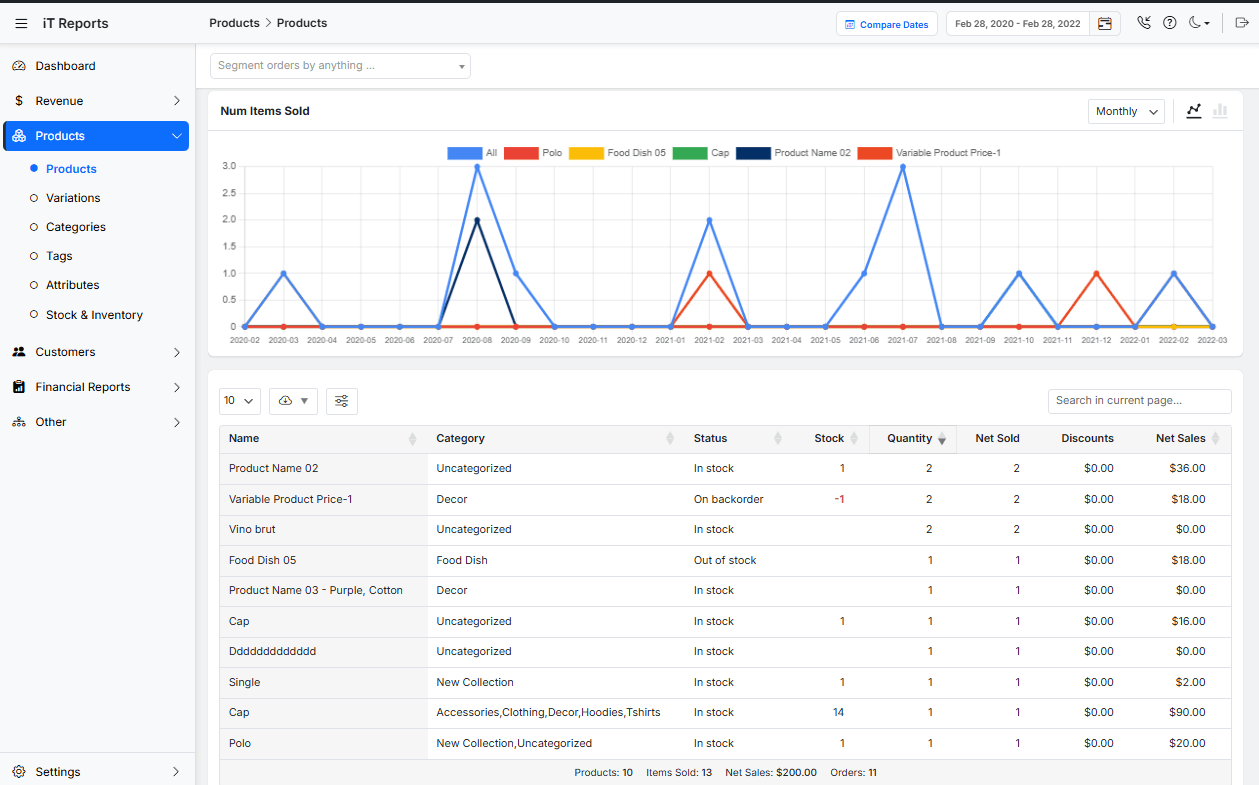
- Customer Purchase History: Segment customers based on products purchased to tailor retargeting campaigns.
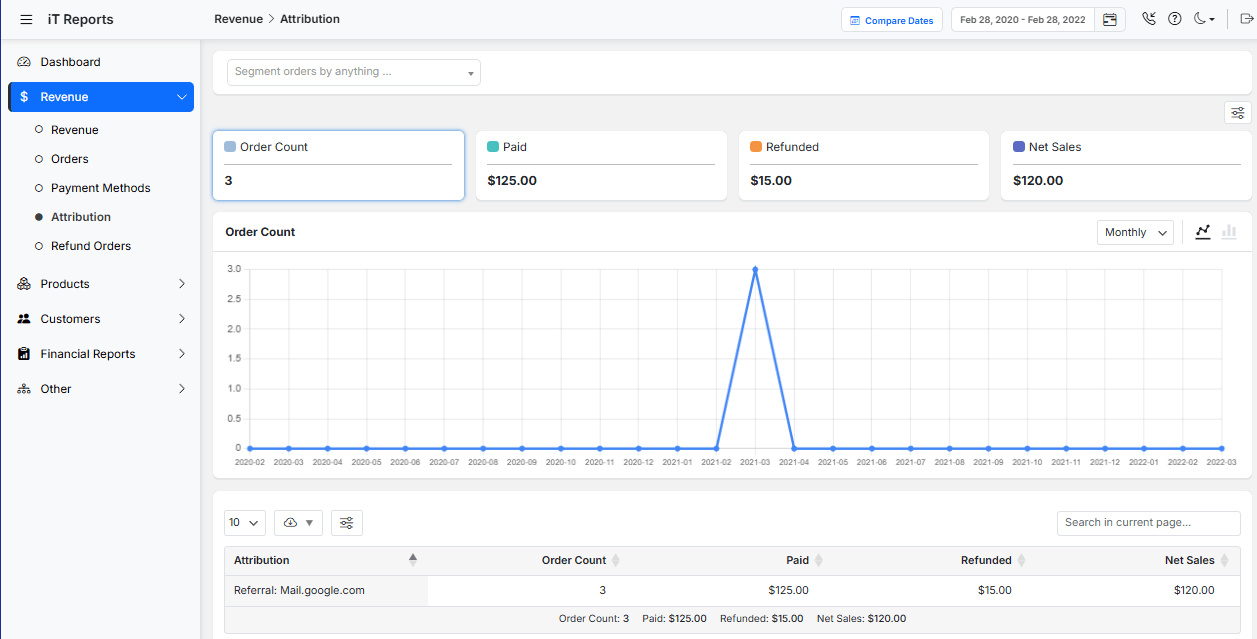
Attribution Models: Understanding What Drives Conversions
By understanding attribution, you can optimize WooCommerce marketing spend to reward channels that assist in conversions, not just those closing sales.
Reports to Analyze in WooCommerce:
- Attribution Report: Analyze the data in this report to view assisted conversions and paths to purchase.
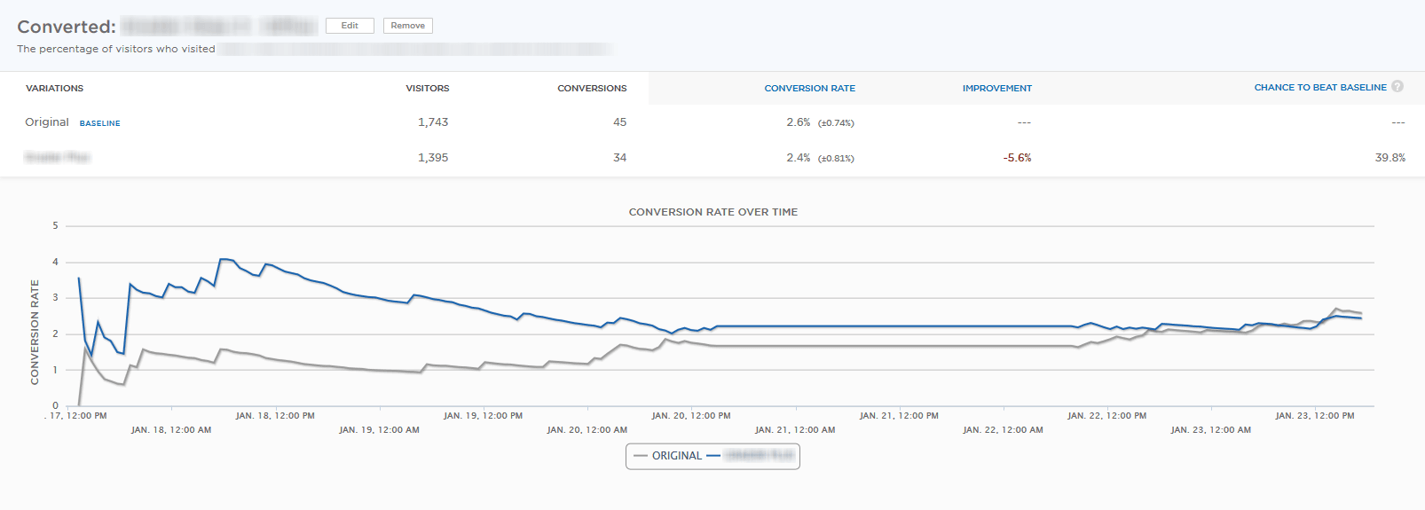
- Lifetime Value Reports: Identify which channels bring high-value repeat customers.
Spotting Underperforming Campaigns with Performance Data
Regularly review WooCommerce reports to identify and pause low-ROI campaigns, reallocating resources to strategies that work. This is essential for ongoing WooCommerce marketing budget optimization.
Reports to Analyze in WooCommerce:
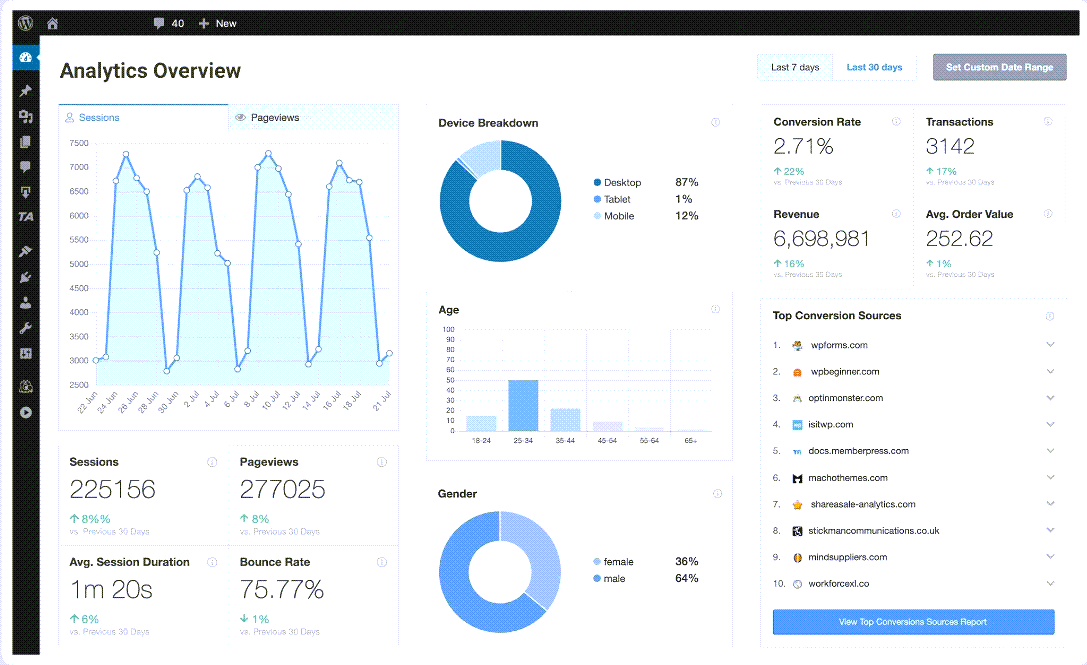
- Marketing Campaign Reports: Use Google Analytics to track campaign-specific sales and costs.
- Refund Reports: Identify if products promoted in campaigns have high return rates, skewing ROI.
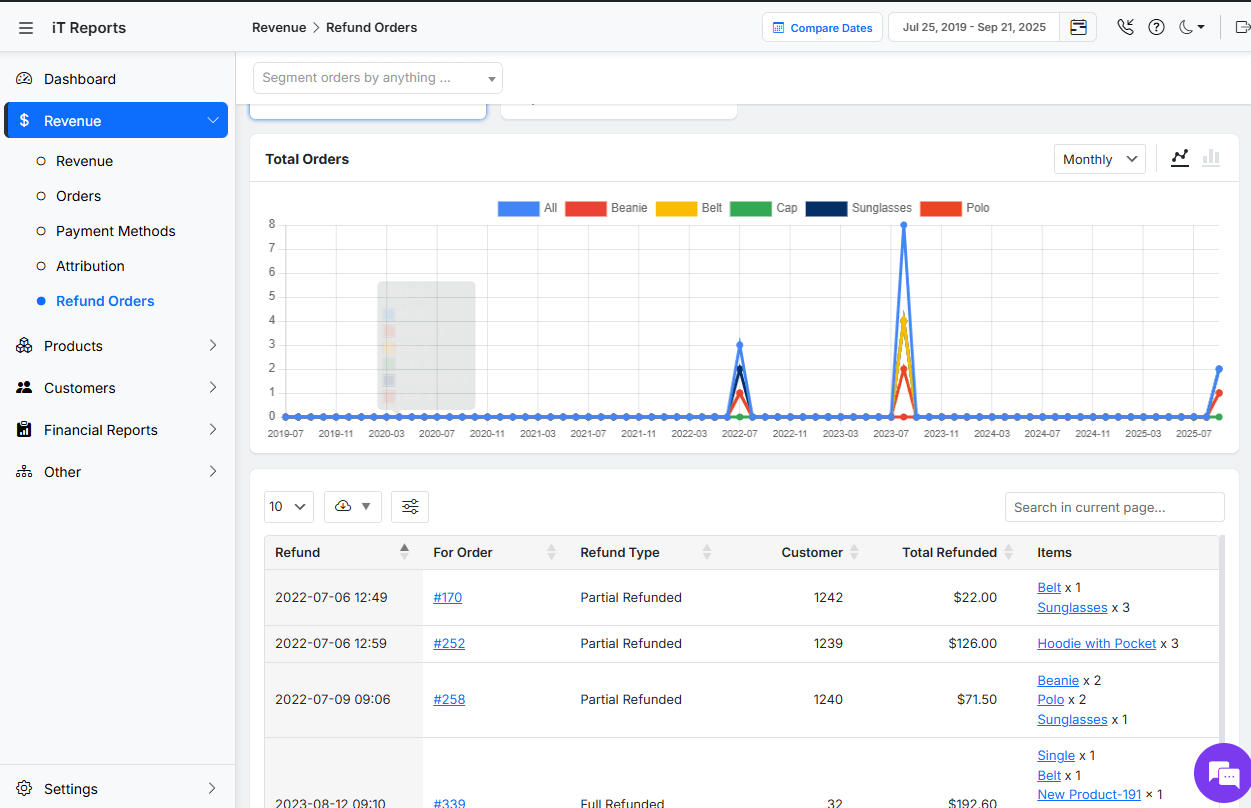
- Time-Based Sales Reports: Compare sales during campaign periods to baseline revenue to measure uplift.
REPORTiT – Advanced WooCommerce Reporting
The easy way to optimize WooCommerce marketing budget
Customer Behaviour Insights for Budget Decisions
Effective WooCommerce marketing budget optimization requires more than just analyzing sales numbers—it demands a deep understanding of customer behavior.
Below is a guide to using customer behavior insights for smarter budget decisions.
How to Use Customer Segmentation Reports for Targeted Marketing
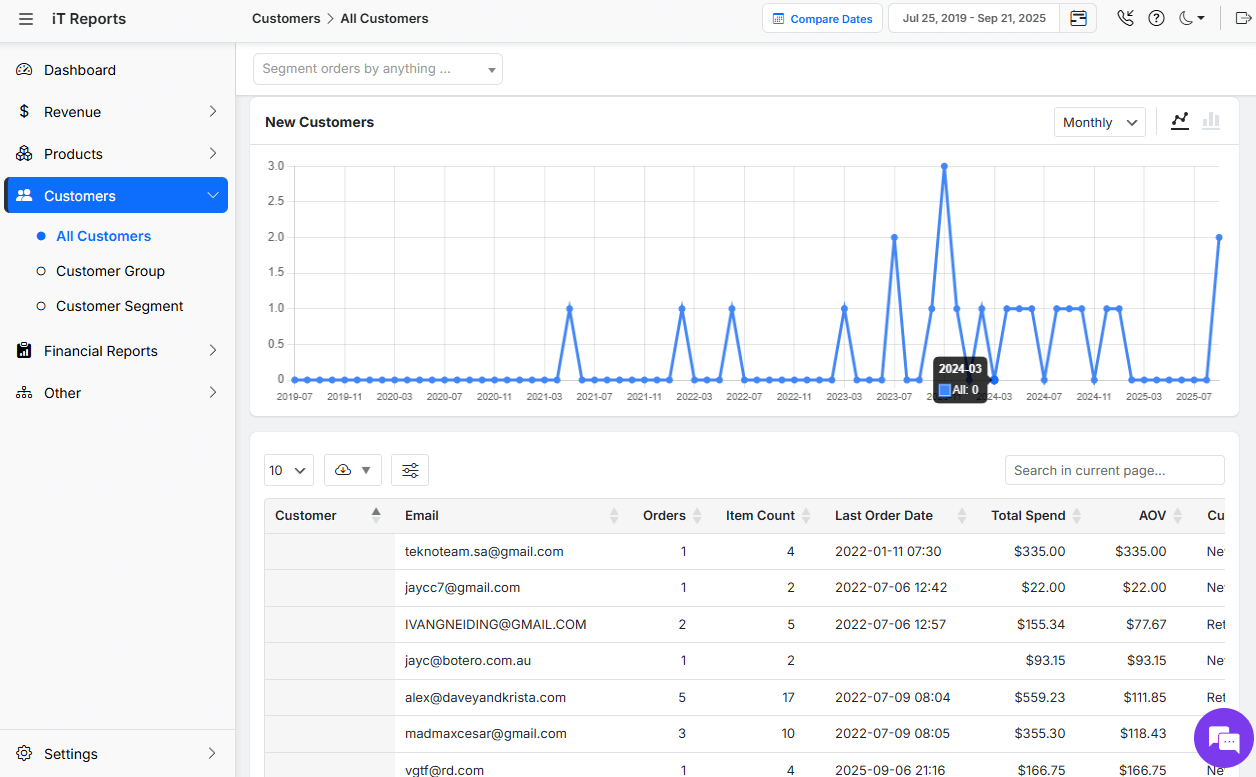
Customer segmentation allows you to divide your audience into distinct groups based on shared characteristics, such as purchase history, demographics, or engagement levels.
By understanding these segments, you can tailor marketing efforts to maximize ROI.
Key Data to Analyze in WooCommerce Reports:
- Purchase History: Identify high-value customers (e.g., frequent buyers, high average order value) and allocate more budget to retain them through loyalty programs or personalized offers.
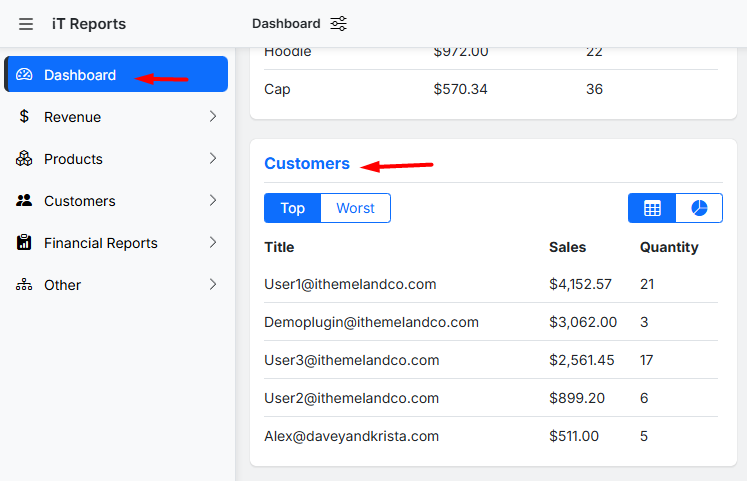
- Geographic Location: Use regional sales data to focus ad spend on areas with the highest conversion rates or untapped potential.
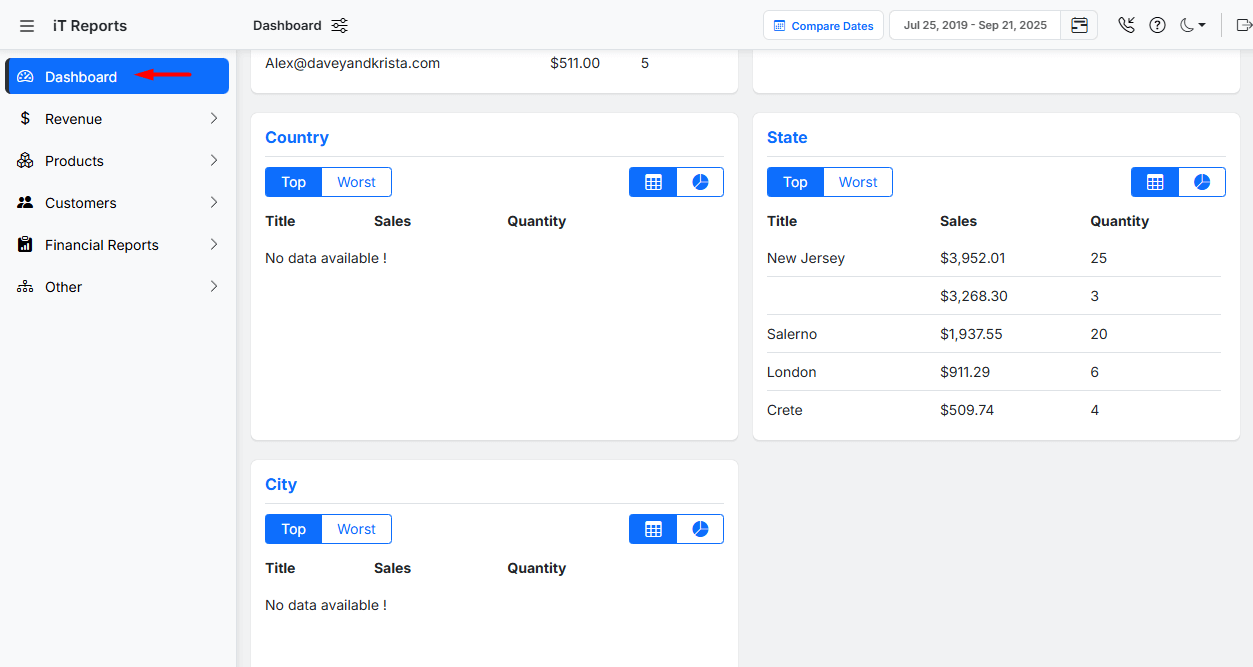
- New vs. Returning Customers: Determine which segments drive the most revenue. If returning customers have a higher lifetime value, shift the budget from acquisition to retention strategies.
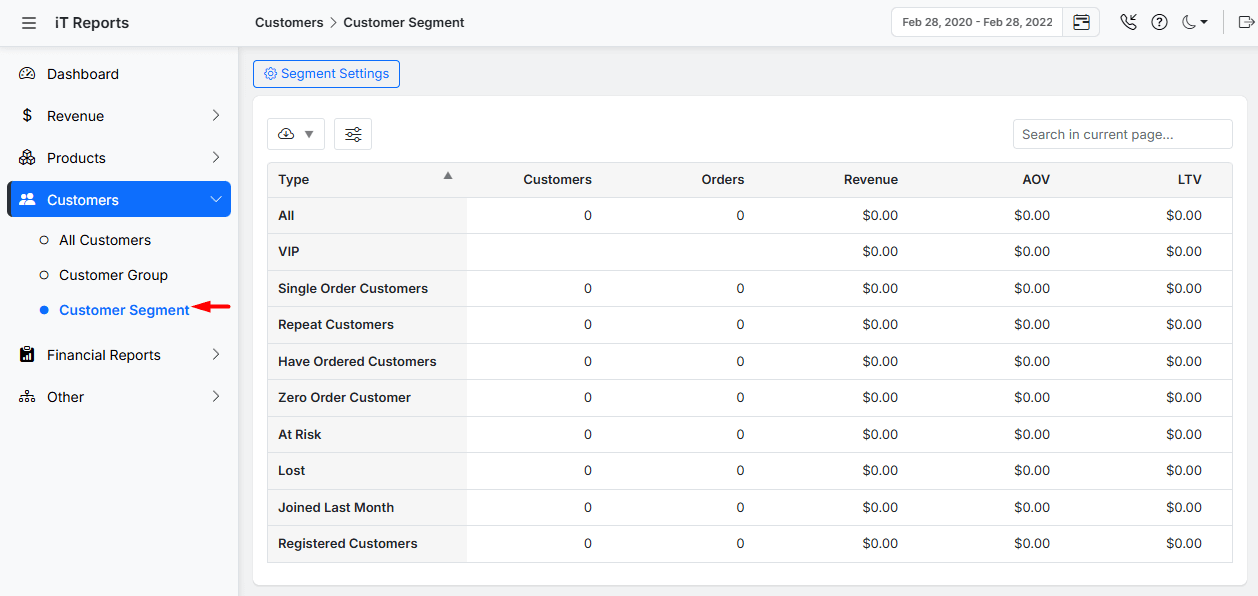
Read more: 5 WooCommerce Customer Segmentation Reports to Use
Budget Reallocation: Practical Steps Using WooCommerce Data
Budget reallocation involves shifting resources from underperforming campaigns or channels to those delivering the best results. WooCommerce reports provide the data needed to make these decisions confidently.
Key Data to Analyze in WooCommerce Reports:
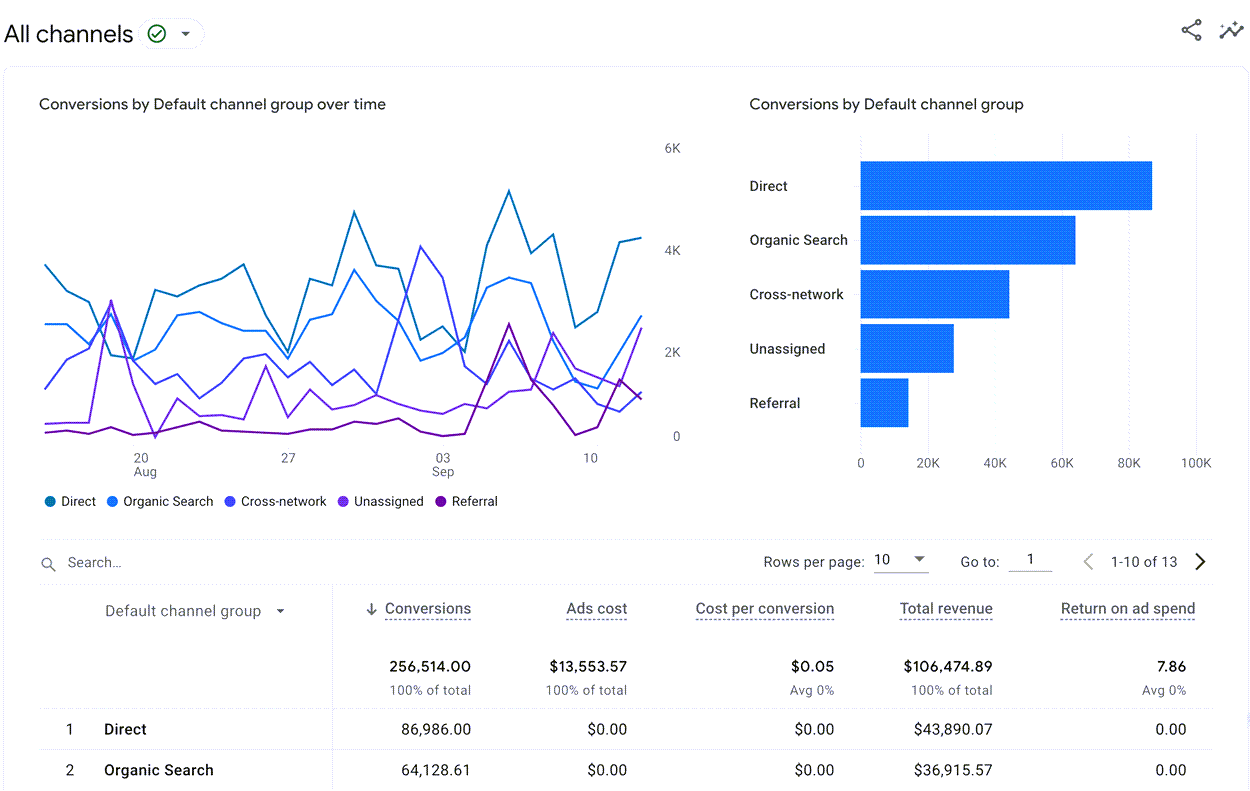
- Channel Performance: Compare sales generated from different channels (e.g., organic search, paid ads, social media). Allocate more budget to high-converting channels and reduce spending on low-performing ones.
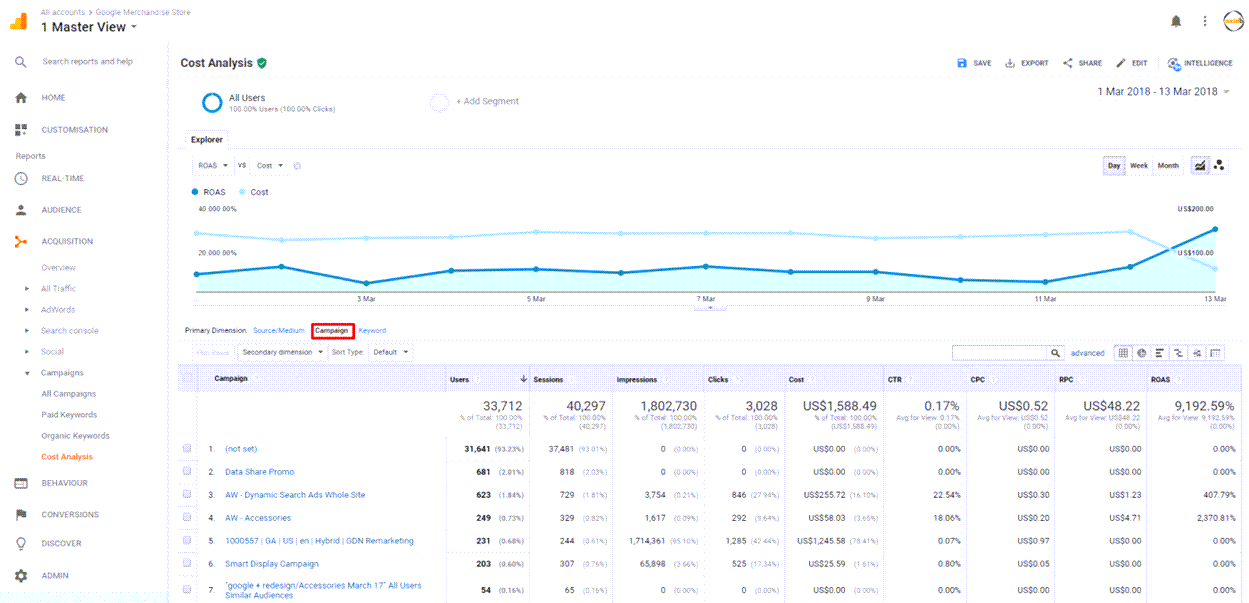
- Campaign ROI: Calculate the return on investment for individual campaigns using revenue and cost data. For example, if a Google Ads campaign has a higher ROI than a Facebook campaign, reallocate budget accordingly.
- Seasonal Trends: Analyze sales data over time to identify seasonal peaks or dips. Adjust budgets to capitalize on high-demand periods (e.g., holidays) and reduce spending during slower times.
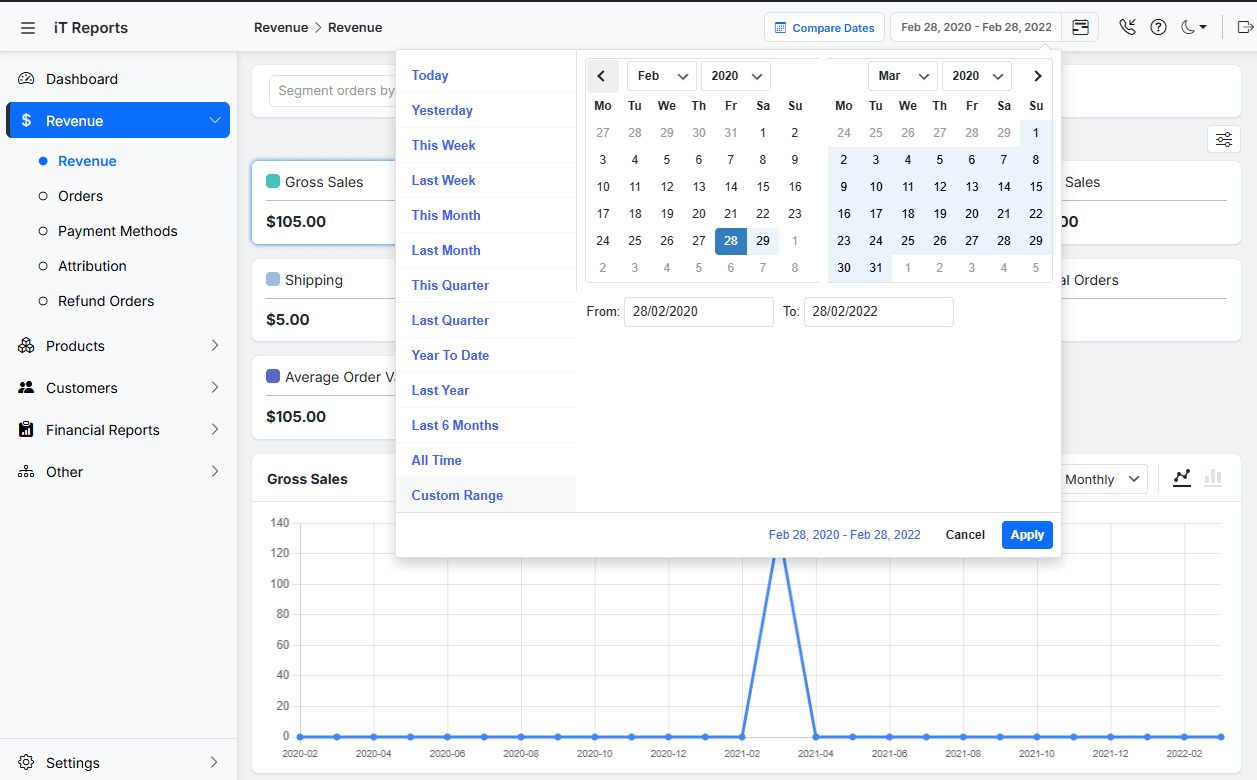
- Product Performance: Identify best-selling products and categories. Increase budget for promoting these products while phasing out support for underperformers.
Automating Reporting for Continuous Optimization
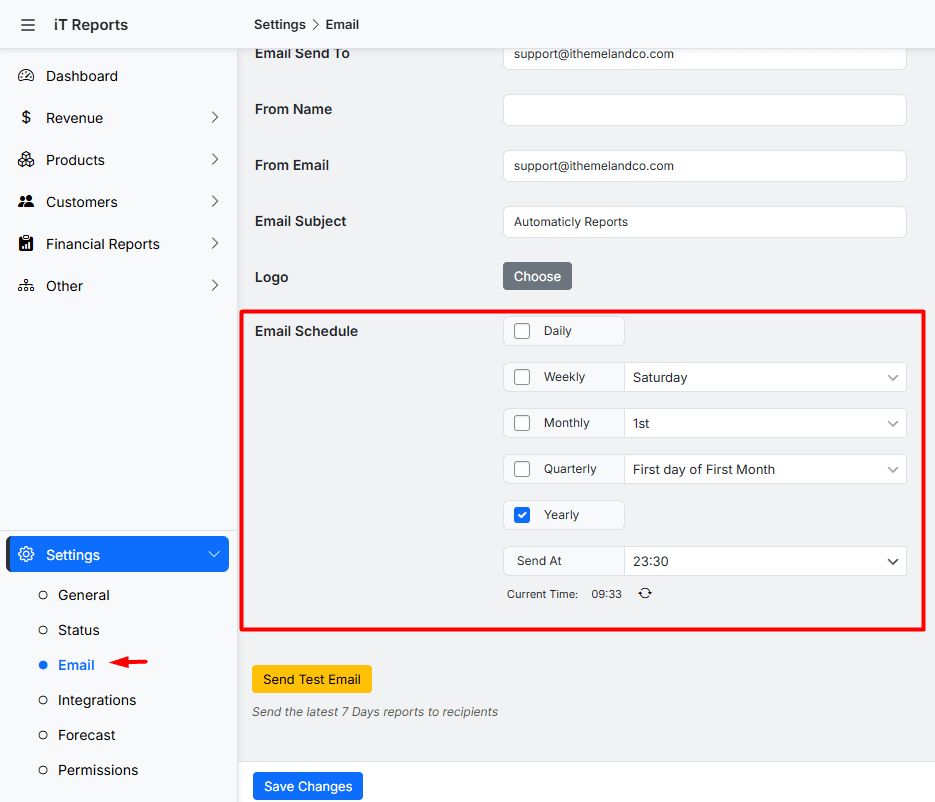
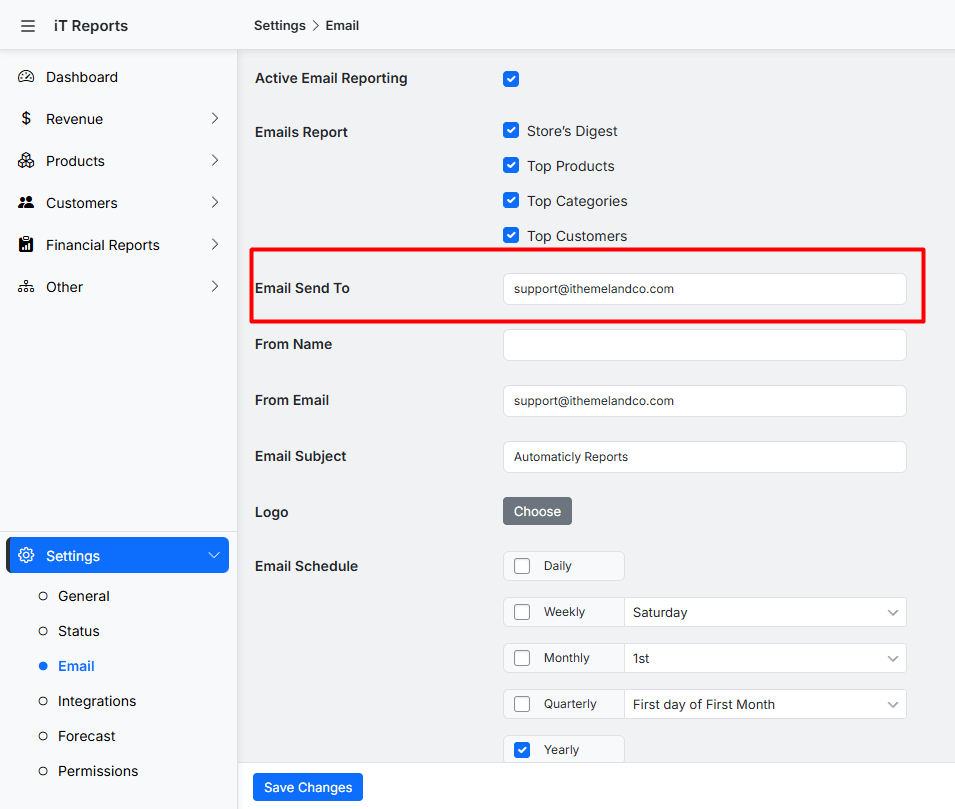
The WooCommerce reports plugin is a powerful tool designed to automate the delivery of critical store performance data directly to your inbox. By leveraging this plugin, store owners can schedule detailed reports to be sent daily, weekly, or monthly, ensuring continuous monitoring without manual effort .
This automation is essential for WooCommerce marketing budget optimization, as it provides real-time insights into sales trends, product performance, and customer behavior, enabling data-driven decisions to optimize WooCommerce marketing strategies.
Below is a concise overview of its key features and setup process.
Key Features for Automated Reporting:
- Flexible Scheduling: Choose from daily, weekly, monthly, intervals to receive reports aligned with your operational needs.
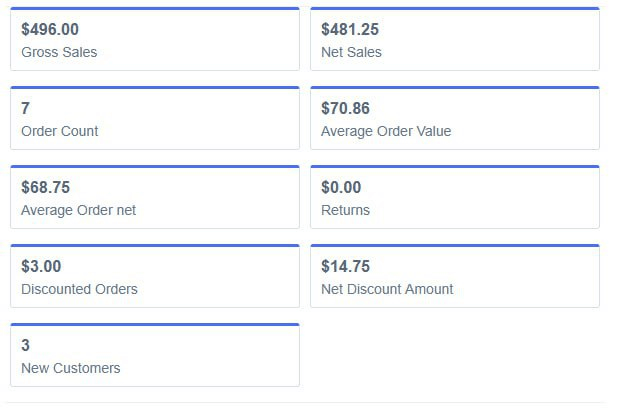
- Comprehensive Metrics: Reports include gross sales, net sales, refunds, top-selling products, coupon performance, customer signups, and subscription data.
- Customizable Recipients: Send reports to multiple email addresses (e.g., marketing teams, managers) by adding comma-separated recipients.
Case Study: Improving Marketing Spend Efficiency with WooCommerce Reports
Here are a few real-world examples showing how businesses used WooCommerce reports or analytics to optimize marketing spend, improve ROI, or make data-driven decisions.
| Business / Brand | What they did using reports & analytics | Key Outcomes & How It Helps Optimize WooCommerce Marketing Budget | Source |
|---|---|---|---|
| Barrington Coffee | Used detailed WooCommerce analytics to track which acquisition channels (Facebook, Google Ads, review sites, etc.) were actually converting—not just driving traffic. | Reduced spend on low-ROI channels (Google Ads) and reallocated to high-ROI ones (review sites). Example of WooCommerce marketing budget optimization with WooCommerce reports. | metrilo |
| Segafredo Zanetti | Leveraged WooCommerce analytics to monitor bounce rates, conversion rates per channel, and customer behavior. Identified weak spots in funnel and re-engaged inactive users. | Optimized spend by fixing underperforming pages and re-engaging existing customers. Demonstrates how WooCommerce reports help optimize WooCommerce marketing. | metrilo |
| Kats Botanicals (via AutomateWoo) | Used reporting data (abandoned cart, win-back campaign stats) to understand wasted spend and reallocate efforts. Automated workflows triggered by WooCommerce data. | Achieved higher ROI by targeting retention & recovery instead of broad campaigns. Strong example of using WooCommerce reports to optimize WooCommerce marketing. | automatewoo |
Best Practices for Actionable Reporting
Effective WooCommerce marketing budget optimization relies on transforming raw data into actionable insights. By analyzing WooCommerce reports, you can make informed decisions to optimize WooCommerce marketing strategies and maximize ROI. Here are the key best practices:
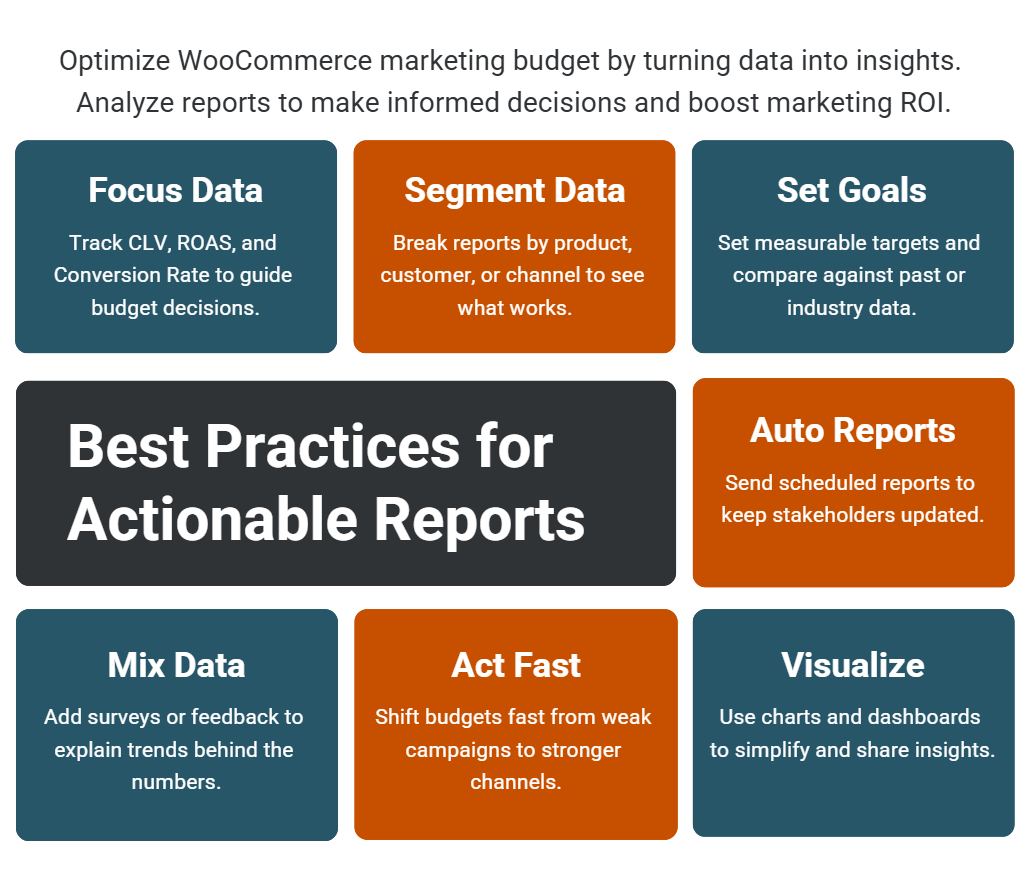
- Focus on High-Impact Metrics: Prioritize metrics directly tied to revenue and growth, such as Customer Lifetime Value (CLV), Return on Ad Spend (ROAS), and Conversion Rate. Use WooCommerce reports to track these metrics weekly or monthly to identify trends and adjust budgets accordingly.
- Segment Data for Precision: Break down reports by product, customer group, traffic source, or time period. Segmentation helps pinpoint what’s working (e.g., high-converting channels) and what isn’t, enabling precise WooCommerce marketing budget optimization.
- Set Clear Goals and Benchmarks: Define specific targets (e.g., “Increase ROAS by 20% in Q3”) and use WooCommerce reports to measure progress. Compare performance against historical data or industry benchmarks to contextualize results.
- Automate Report Delivery: Schedule automated WooCommerce reports to be sent to key stakeholders (e.g., marketing teams, managers). This ensures everyone has access to real-time data for agile decision-making without manual effort.
- Combine Quantitative and Qualitative Data: Supplement WooCommerce reports with customer feedback, surveys, or support ticket analysis. This adds context to numbers (e.g., why a product has a high refund rate) and guides strategic adjustments.
- Act Quickly on Insights: Use reports to identify underperforming campaigns or channels and reallocate budgets promptly. For example, if a paid ad campaign has low ROAS, pause it and shift funds to high-performing organic efforts.
- Visualize Data for Clarity: Utilize dashboards with charts and graphs (e.g., sales trends, traffic sources) to make complex data easily understandable. Visualizations help teams quickly grasp insights and align on actions.
REPORTiT – Advanced WooCommerce Reporting
The easy way to optimize WooCommerce marketing budget
Conclusion
A successful approach to WooCommerce marketing budget optimization begins with a clear objective. Store owners should decide what they want to improve, choose a manageable workflow, and review the result with the right metrics. This makes it easier to identify which changes create a real business benefit and which ones only add complexity.
The next step is to start with one practical use case, apply the strategy carefully, and compare the outcome with a reliable baseline. As the store grows, the process can become more detailed through better segmentation, clearer reporting, and more consistent execution. This gradual approach helps teams direct marketing spend toward campaigns and customer segments that create stronger returns.
For WooCommerce store owners who want to manage this process more efficiently, REPORTiT – Advanced Reporting for WooCommerce provides a focused way to apply the recommendations discussed in this article. By using a purpose-built workflow, store managers can spend less time on repetitive setup and more time improving the customer experience and the business result.
FAQ
1. Which WooCommerce reports should store managers review regularly?
A useful reporting routine usually includes sales, product performance, customers, order statuses, refunds, campaigns, and trend comparisons. The right mix depends on the decisions the store needs to make.
2. Why should reports be filtered by date range and order status?
Date ranges create a fair comparison, while order-status filters prevent refunded, cancelled, or failed orders from distorting the results. This is important when reviewing net performance.
3. How often should WooCommerce reports be reviewed?
Operational reports may be checked weekly, while broader trend, customer, and year-over-year comparisons can be reviewed monthly or around major campaigns.
4. What is the difference between revenue and useful performance data?
Revenue shows the total value of sales, but it does not explain margin, refunds, repeat purchases, product mix, or campaign quality. Useful decisions require a wider set of metrics.
5. Can WooCommerce reporting help with marketing decisions?
Yes. Reports can show which campaigns, products, and customer segments create stronger results, making it easier to allocate budget and improve future promotions.
6. What does REPORTiT – Advanced Reporting for WooCommerce add?
REPORTiT – Advanced Reporting for WooCommerce helps store owners analyze sales, customers, products, and orders with more flexible reporting views for practical business decisions.